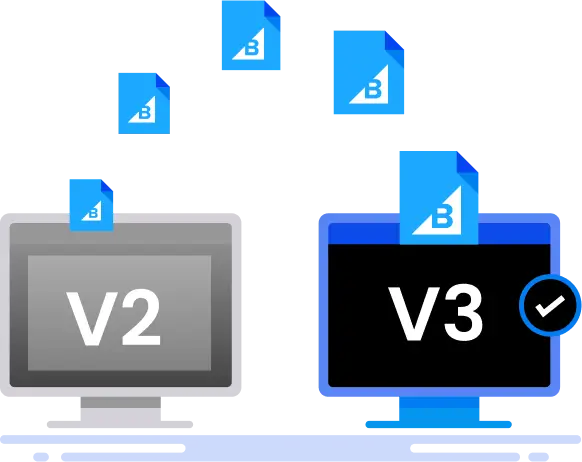


BigCommerce V2 to V3 Migration App
Upgrade BigCommerce V2 to V3 to improve performance and meet compliance requirements with our comprehensive app that handles it all for you, hassle free.
- Avoid a broken product structure
- Fix outdated themes and APIs
- Migrate without data or SEO loss
Features of BigCommerce V2 to V3 Migration App
Full-scope BigCommerce V2 to V3 migration, including theme rebuilds, API upgrades, and performance tuning.
Catalog Backup
Securely backup your entire product catalog to prevent data loss during the migration process.
Sync Products to V3 Sandbox
Efficiently synchronize your products to the V3 sandbox environment for thorough testing and validation.
Logging and Tracking of Products
Detailed logging and tracking of products to ensure accuracy and completeness throughout the migration.
Unlink Option Sets
Seamlessly unlink option sets to align with the V3 architecture.
Delete Configurable Fields
Remove obsolete configurable fields to streamline your product data.
Convert V2 Products to V3
Convert your V2 products to V3 format while maintaining data integrity.
Process Product Rules
Ensure all product rules are correctly processed and applied in the V3 environment.
Process Option Set Rules
Migrate and apply option set rules accurately in V3.
Process Price List Data
Transition price list data to V3 without discrepancies.
Process Shipping Field Values
Accurately process and migrate shipping field values to ensure consistency.
How to Use the BigCommerce V2 to V3 Migration App?

Migration App

Bigcommerce
Why Upgrade to BigCommerce V3?
If your store still runs on BigCommerce V2, you're missing out on the performance, scalability, and developer-friendly upgrades of V3. A BigCommerce V2 to V3 migration is more than just a version update — it's a strategic move to future-proof your ecommerce experience. Here’s why the switch matters:
- Omnichannel Sales: Sell seamlessly across multiple channels like your website, social media, and marketplaces.
- API Accessibility: Connect your store to powerful apps and tools with ease.
- SKU-Level Attributes: Add specific details to each product variation for better organization.
- Improved Options & Variants Management: Create and manage product variations more efficiently.
Schedule a Demo BigCommerce V2 TO v3 Migration App
Insert a pricing package: $349
- FREE Consultation & Audit
- Transparent Pricing
- Proven Process
- 100% Customer Satisfaction
Trusted By 150+ Growing Brands For BigCommerce v2 to v3 Migration Services


Ambitious Brands Trust Folio3 for BigCommerce v2 to v3 Migration

Terri Anne Meyer Head of Digital Marketing
We have been working with Folio3 since 2018. We are extremely fortunate to have found such a fantastic team of people. They are professional, organized, time-sensitive, and their work is stellar. Most recently, we needed support with dynamic schema mark-up and GA4 event integrations.

![]()

Omar M. Al-Midani Co-Chief Executive Officer
As you know our project is quite complicated & involves some fairly intricate customizations. Overall we are very happy with the progress so far. We feel that your team understands our requirements very well & also anticipates issues & provides effective solutions.

![]()

Dinara Etshman Project Manager
The Folio3 team is a pleasure to work with. During the project, they were responsive and their turnaround time was always stellar.
![]()
FAQs of BigCommerce v2 to v3 Migration App
Why should I upgrade from BigCommerce V2 to V3?
Upgrading to BigCommerce V3 unlocks faster site performance, access to modern APIs like Storefront API and GraphQL, and improved flexibility for design and third-party integrations. V3 is built to support future enhancements and is the current standard supported by BigCommerce for long-term scalability and innovation.
Will I lose any data during the V2 to V3 migration?
No — our BigCommerce V2 to V3 migration process includes full data migration with integrity checks. We ensure that your products, orders, customer records, and SEO metadata transfer accurately. Post-migration QA ensures everything is validated before launch, so there’s no loss or interruption in service.
How long does a typical BigCommerce V2 to V3 migration take?
A full BigCommerce V2 to V3 migration typically takes 3 to 6 weeks depending on store complexity. Custom themes, API integrations, and data volumes can affect the timeline, but we offer accelerated options with parallel development to help you launch faster without cutting corners.
Can I keep my existing theme or design in V3?
While your V2 theme can't be directly reused, we rebuild your existing design in V3 using updated framework components. This allows you to preserve your brand identity while benefiting from faster performance, mobile optimization, and modern UI best practices native to BigCommerce V3.
Will migrating to V3 affect my current SEO rankings?
We preserve URL structures, meta tags, and schema during migration to maintain your search rankings. Any necessary redirects (301s) are handled as part of our SEO transition checklist. In fact, the performance improvements of V3 can enhance SEO rankings post-migration.
Start Your BigCommerce V2 to V3 Migration With Us Today
Get in touch with our Team!