Ready to grow smarter with AI? Supercharge your e-commerce store with Shopify MCP. Get Started

Control Invoicing, Terms, and Reconciliation Across Accounts

Centralize billing and payment visibility by linking Shopify QuickBooks for account level purchasing. Support governed invoicing, credit terms, and refunds with structured approvals and posting, beyond basic order exports flows.

Solving Critical Accounting Gaps with Shopify QuickBooks Integration

Invoice Drift

Challenges

Orders captured in Shopify often require invoices, deposits, or partial shipments that accounting teams finalize later, creating mismatched totals, taxes, and payment status across customer records.

Resolution

  • Generate invoices from approved B2B order states
  • Post deposits and balances to matching invoices
  • Sync refund adjustments with accounting memo logic
  • Reconcile invoice status back to Shopify records

Tax Mapping

Challenges

Tax rules applied at checkout can differ from jurisdiction codes used in QuickBooks, so reporting splits by state, customer exemption, or product class become unreliable.

Resolution

  • Map Shopify tax lines to QuickBooks codes
  • Apply exemption certificates to company location rules
  • Route taxable items by category taxability flags
  • Return tax totals for finance validation cycles

Payment Attribution

Challenges

B2B buyers pay by card, ACH, or terms, but settlement, fees, and refunds must hit the correct QuickBooks accounts, classes, and locations for accurate cash reporting.

Resolution

  • Map payment methods to QuickBooks clearing accounts
  • Post fees, refunds, adjustments with correct classes
  • Align payouts to locations and bank accounts
  • Preserve settlement timing for accurate cash reporting

Terms Governance

Challenges

Company purchasing needs net terms, credit limits, and invoice delivery preferences that live in accounting, yet Shopify must enforce them during ordering and reorders across locations.

Resolution

  • Sync terms and credit rules to companies
  • Block purchases that exceed approved limits automatically
  • Set invoice delivery options per company location
  • Return aged receivables for account decisions fast

Our Portfolio of Successful eCommerce Solutions

Explore our portfolio of Shopify solutions that’ve helped many eCommerce brands boost conversion and engagement rates.

Align Shopify commerce with QuickBooks accounting control

Keep orders, invoices, and payments consistent across teams.

What a Shopify QuickBooks Integration Enables for B2B Operations

Production Grade Accounting Pipeline

Deliver a controlled integration layer that translates Shopify transactions into QuickBooks ready accounting events, with logging, retries, and audit trails. Finance teams get dependable posting, while commerce teams keep speed without compromising invoice accuracy for each account, location, and type.

Invoice and AR Visibility

Surface invoice status, balances due, and credit utilization inside Shopify company accounts by reflecting QuickBooks receivables. Sales reps can confirm who can buy on terms, finance can monitor exposure, and buyers receive accurate statements tied to purchase orders each cycle.

Clean Product Bookkeeping

Maintain consistent item, SKU, and category mappings so QuickBooks reporting matches what buyers see in Shopify catalogs. When products change, updates flow with guardrails, keeping revenue recognition, class tracking, and inventory valuation aligned across locations for close accuracy every month.

Refund and Dispute Clarity

Track refunds, credits, and chargebacks as structured adjustments that preserve original invoice references in QuickBooks. Shopify teams can issue customer credits, while accounting keeps a traceable record of reversals, fee impacts, and net cash movement by account and location rollups.

How We Design Shopify QuickBooks Integrations for B2B

Define accounting authority and Shopify commerce responsibilities early

QuickBooks remains the system of record for chart of accounts, invoices, payments, and tax reporting. Shopify holds buyer facing product, company, and ordering context. We align identifiers so transactions are traceable across both environments consistently.

Model sync directions, triggers, and timing windows clearly

We choose which entities push from Shopify to QuickBooks and which return, then define triggers such as account approval, order submission, delivery confirmation, or settlement. Timing stays event driven for statuses and batched for postings.

Handle conflicts, exceptions, and account pricing rules explicitly

When totals, tax, or customer records diverge, we route exceptions to review queues instead of overwriting finance data. Credit terms, discounts, and price lists remain governed, while Shopify displays prices and payment expectations per company.

Data Coverage and Sync Behavior

Data coverage

Customers and Companies

Sync customer identifiers, company locations, and billing contacts so Shopify account activity references the right QuickBooks customer records. Updates are controlled, with QuickBooks owning legal names, addresses, and terms always.

Orders to Invoices

Translate approved Shopify B2B orders into QuickBooks invoices or sales receipts, carrying PO numbers, shipping charges, and tax lines. Posting can wait for fulfillment, deposit capture, or finance release events.

Payments and Adjustments

Sync settlement summaries, refunds, and credit memos with mapped accounts. Detailed gateway payouts or bank reconciliation do not originate in Shopify; they remain managed in QuickBooks and require finance governance.

Our Shopify Integration Approach

STEP 1

Discovery

STEP 2

Mapping

STEP 3

Workflow Design

STEP 4

B2B Testing

STEP 5

Cutover

STEP 6

Stabilization

Trusted by 150+ Brands Across Shopify Ecosystems

Ambitious Brands Trust Folio3’s Shopify Capabilities

Does Shopify integrate with QuickBooks?

Yes, Shopify can integrate with QuickBooks, but B2B teams typically need more than a basic transaction export. The real requirement is governing invoices, terms, credits, taxes, and payment application across systems through a defined accounting architecture, not a connector.

What a Shopify QuickBooks Integration Means for B2B Around the Accounting

Terms-Driven Account Purchasing Control

QuickBooks remains the authority for payment terms, credit limits, and invoice preferences, while Shopify enforces those rules during company purchasing. When limits change, account eligibility updates without manual holds or spreadsheet based approvals.

Invoice Accuracy and Delivery

B2B orders often require invoices with PO numbers, negotiated pricing, freight lines, and compliant tax handling. The integration creates invoices from approved order states and reflects invoice status back to buyer portals across locations.

Cash Application and Refunds

Payments arrive through cards, ACH, or on-account remittances and must be applied correctly in QuickBooks. The integration posts settlements to clearing accounts, maps fees, and records refunds or credits with original invoice references.

How the Shopify B2B Integration with QuickBooks Works

Identity and Item Alignment

Shared identifiers connect Shopify companies, locations, and contacts to corresponding QuickBooks customers. Product SKUs map to QuickBooks items and reporting dimensions, with validation preventing duplicates when ownership shifts between teams.

Order-to-Ledger Event Translation

When an approved B2B order is submitted, Shopify provides pricing and context while the integration converts it into a QuickBooks invoice or sales receipt, carrying PO numbers, discounts, freight, and tax lines for governed posting.

Status, Exceptions, and Feedback

QuickBooks remains the source for invoice numbers, balances, and payment application. Statuses return to Shopify for buyer visibility, while mismatches in totals, tax, or customer mapping are flagged for finance review.

Limitations and Design Considerations

QuickBooks accounting policy defines what can be posted and how it must be categorized, and Shopify cannot replace that governance. Tax allocation, rounding, clearing accounts, and entity mapping must be standardized or reporting will fragment.

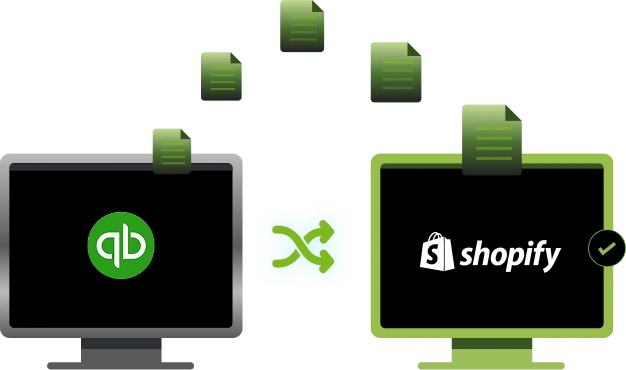
Table of Contents

Frequently Asked Questions

How does Shopify QuickBooks integration handle B2B pricing, terms, and tax rules?

QuickBooks can remain the authority for terms and accounting policy, while Shopify uses approved prices for buyer facing catalogs. Taxes and discounts must be mapped so QuickBooks reporting reflects the same logic used for invoicing.

Yes, when designed for B2B, the integration can carry PO numbers from Shopify into QuickBooks invoices and return invoice identifiers and balances to the buyer account experience, keeping communications consistent.

Company locations in Shopify can be mapped to the correct QuickBooks customer records and, when needed, to classes or locations for reporting. The key is consistent identifiers so postings land in the right entity.

QuickBooks should remain the system of record for invoices, receivables, and payment application. Shopify acts as the commerce layer that captures ordering context and shows status back to account users.

Access should be scoped by roles and least privilege, with clear separation between commerce users and accounting permissions. Integration credentials, logs, and exception queues should be governed so only authorized teams can view or approve sensitive financial updates.

.