Calculate your gross profit margin using the Shopify Profit Calculator. Determine the best price to sell your products and boost your business growth.
Understanding and tracking your Shopify profit margin is crucial. Your business needs to generate net sales to stay operational. By monitoring your retail margin, you can gauge the health of your business and its growth potential. Knowing your Shopify profit margin is important whether you’re running a well-established e-commerce store or just starting from your garage.
In this article, we will explain the Shopify Profit Calculator, highlight its benefits, and margin vs markup.
Determine Product Prices and Boost Profitability with Shopify’s Profit Calculator
Profit margins show how much money you make and reflect your company’s overall financial health.
- To stay financially healthy, businesses need to keep an eye on profit margins.
- Profit margins reveal how well a small business is doing.
- Business owners should always know how their company spends money to maximize profits.
- This guide is for business owners and entrepreneurs who want to understand profit margin formulas and how they can help their business succeed.
Knowing your best profit margin is key to growing your business. With this information, you can make plans and use your resources effectively to achieve long-term success.
What Makes a Good Profit Margin?
A good profit margin varies depending on your industry, business model, and market conditions. Generally, a higher profit margin indicates better financial health and efficiency.
- Industry Standards: In industries with high costs or strong competition, lower profit margins might be common. Conversely, industries with unique products or less competition often see higher margins.
- Benchmarking: Compare your profit margin with industry standards and your competitors to understand how well you’re performing.
- Business Goals: Consider your growth objectives, market share, and overall financial stability when evaluating your profit margin.
Margin vs. Markup
Margin is the percentage of revenue left after deducting the cost of goods sold. It focuses on the relationship between profit and revenue.
Markup is the amount added to the cost of goods to set the selling price. It’s expressed as a percentage of the cost. Markup looks at the relationship between the cost of goods and the selling price.
In summary, margin measures profitability based on revenue, while markup measures pricing based on cost.
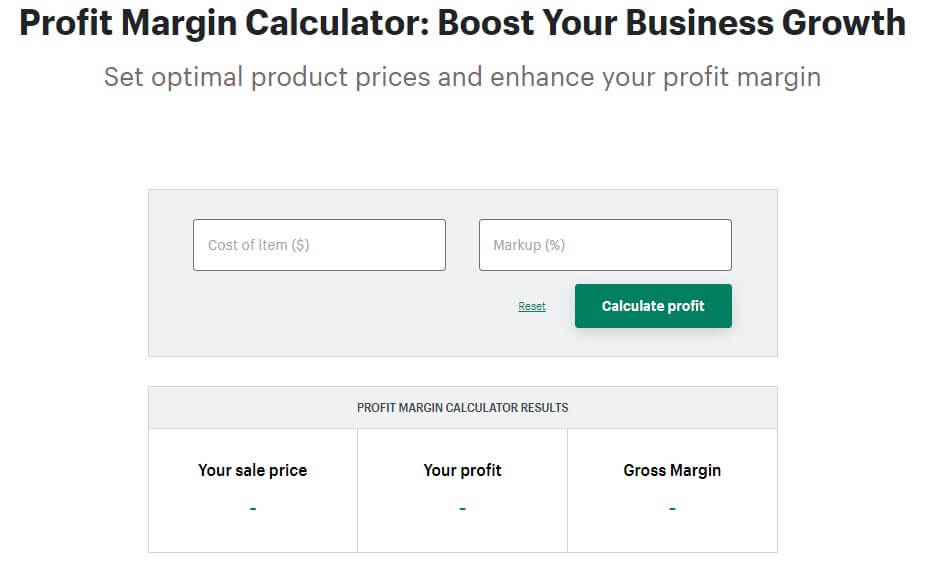
Why Use the Shopify Margin Calculator?
Using the Shopify Margin Calculator helps you easily figure out how much money your online store makes after paying for all costs and expenses. Here’s how a gross profit margin calculator can help:
- Quickly add up all parts of a product’s cost.
- Ensure each product you sell is profitable.
- Check if you’re accurately estimating costs and expenses.
- Prevent accounting mistakes.
Benefits of Using Shopify Profit Calculator
The Shopify profit calculator is a simple tool that helps you see how profitable your products are. Here’s how it can help:
- Calculate Profit Easily: It shows how much money you make from each product by comparing the cost to make it and the price you sell it for.
- Ensure Efficiency: It helps you make sure your team is working efficiently and staying within budget.
- Set the Right Prices: Use it to double-check that you’re charging enough to make a profit, especially when pricing services.
- Avoid Manual Calculations: No need to manually add up receipts, time sheets, or invoices. It does the math for you.
- Ideal for All Business Owners: Perfect for both new entrepreneurs and experienced business owners who want a quick and easy way to calculate gross profit margins.
- Free Tool: Shopify’s profit calculator is free and easy to use.
- Additional Features: It helps store client information, convert estimates to invoices, and get paid quickly.
Tip: Save the calculator page and use it after each job to keep track of your profits.
FAQs
What is Profit Margin?
Profit margin is the percentage of revenue remaining after deducting the cost of goods sold (COGS). It’s a key indicator of financial health, reflecting the efficiency of cost management and pricing.
Does Your Store Have a Good Profit Margin?
A good profit margin varies by industry but generally indicates effective pricing and cost management. Review industry benchmarks and compare them to your store’s figures to assess your performance.
How is Shopify Profit Calculator Calculated?
This margin compares revenue to variable costs. It reveals the amount of profit each product generates excluding fixed costs.

How Can You Improve Your Shopify Profitability?
Improve Shopify’s profitability by optimizing pricing, reducing costs, and enhancing marketing strategies. Focus on upselling, cross-selling, and minimizing expenses without compromising product quality.