Shop Pay for non-Shopify stores gives eligible businesses a way to add Shop Pay checkout while keeping their existing storefront platform. Shopify’s current “Shop Pay on any platform” offering uses the Shop Pay Wallet API to connect an external ecommerce checkout to Shop Pay. Businesses don’t have to migrate their storefront to Shopify, but they do need Shopify Payments eligibility and developers with API integration experience.
This isn’t the first time Shop Pay has been offered outside Shopify. In 2023, Shopify announced access for enterprise retailers through Commerce Components. The broader opportunity today is that businesses can use Shop Pay on any platform without an enterprise contract, subject to Shopify’s requirements.
Key Takeaways
- Shop Pay can be added to eligible non-Shopify ecommerce sites through the Shop Pay Wallet API.
- The storefront can remain on its current platform, but the integration still requires a Shopify account, Shopify Payments setup and API work.
- Recognized customers can authenticate and use saved Shop Pay details to complete checkout more quickly.
- Shopify says its Shop Pay network includes more than 250 million shoppers. Its conversion claims are Shopify-reported and shouldn’t be treated as guaranteed results.
Shop Pay Is No Longer Limited to Shopify Stores
Shop Pay originally became familiar as an accelerated checkout option across Shopify-powered stores. Shopify later extended access beyond those stores, first announcing Shop Pay for non-Shopify enterprise retailers in 2023 through its Commerce Components offering.
Shop Pay on any platform describes a broader way to add the checkout to an existing ecommerce platform. Instead of rebuilding the storefront on Shopify, an eligible business can integrate Shop Pay into its existing checkout using Shopify’s Shop Pay Wallet API. Shopify’s current guidance says this can be done without an enterprise contract.
The distinction matters: a store can keep its current ecommerce platform, but the integration still relies on Shopify for Shop Pay payment processing and related records. The existing platform remains responsible for key commerce data and operations, including cart contents and inventory.

What Is Shop Pay on Any Platform?
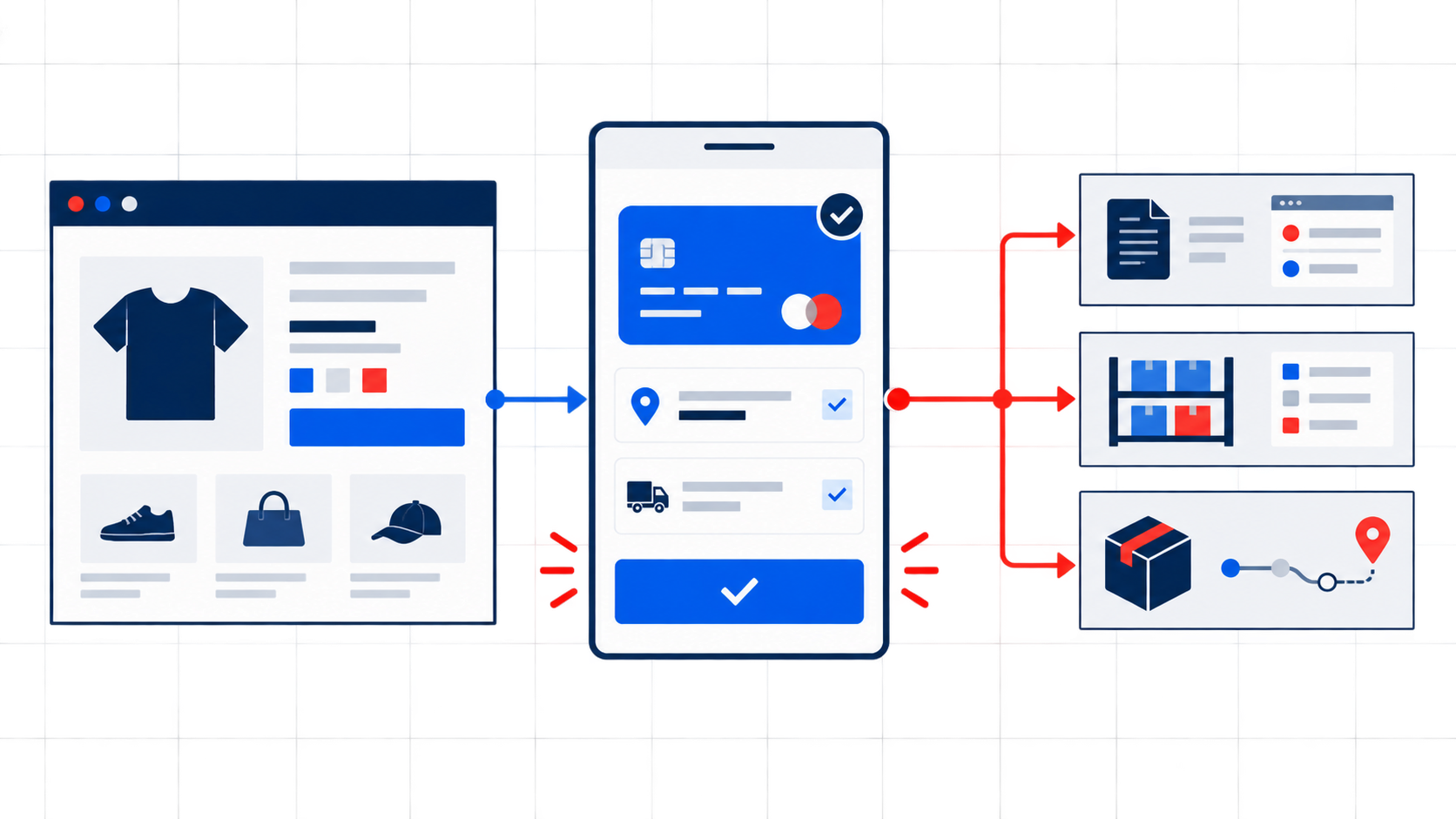
Shop Pay on any platform is Shopify’s Shop Pay Wallet integration for merchants whose storefronts are not hosted on Shopify. It lets customers use Shop Pay during checkout on a participating third-party ecommerce site.
A non-Shopify storefront still needs to connect to Shopify’s systems for payment processing and the Shop Pay checkout experience. This is not the same as simply installing a standard payment plugin: Shopify documents a JavaScript SDK, Storefront API and Admin API as parts of the Wallet integration.
Shopify also requires a separate Shopify store for the Shop Pay Wallet integration. Its developer guide says the Wallet API can’t be used on an existing Shopify store. That requirement does not mean the merchant needs to migrate its storefront; it means Shopify needs a store configured to support the integration.
How Shop Pay Works for Non-Shopify Stores
Shop Pay Wallet adds checkout components to the merchant’s site. Customers can choose the Shop Pay button or enter an email address that Shop Pay recognizes.
Customer Recognition
When a customer enters an email address associated with a Shop account, the email recognition component can invite them to authenticate. Shopify’s UX documentation says the customer may authenticate using email, SMS or a passkey. After authentication, Shop Pay can display the customer’s saved information.
Recognition does not mean a customer is silently signed in or that the merchant’s systems can access Shop Pay credentials. The customer completes an authentication step, and Shopify provides the relevant Shop Pay details in its checkout flow.
Saved Shipping and Payment Details
After authentication, Shop Pay can prefill saved shipping, billing and payment information. Customers can review or update those details, choose a shipping method, enter a discount code or return to the merchant’s regular checkout.
Shopify lists order tracking in the Shop app as an included feature of Shop Pay on any platform. For tracking to work, the merchant’s integration must also update fulfillment details in Shopify.
One-Tap Checkout
When a customer has an active Shop session and their saved information is ready, they can review the details and complete checkout in one tap. Customers without an active session may need to sign in or authenticate first, so the precise journey can vary.
Shopify currently describes the Shop Pay network as having more than 250 million shoppers. That gives merchants access to customers who may already recognize Shop Pay, though it does not guarantee that every shopper will use it.
Benefits of Adding Shop Pay to an Existing Ecommerce Store
Shop Pay can provide a shorter checkout option without requiring a storefront migration. Its potential value depends on whether the merchant meets Shopify’s eligibility requirements and whether Shop Pay fits its customers, payment flows and technical architecture.
| Potential Benefit | What It Could Mean for a Merchant |
| Faster repeat checkout | Recognized customers can use saved payment and shipping information after authentication. |
| Less checkout friction | Fewer repeated data-entry steps may make checkout easier, particularly on mobile. |
| Access to existing Shop Pay users | Customers who already use Shop Pay may find the checkout familiar. |
| Order tracking in the Shop app | Customers can track orders in the Shop app when fulfillment information is synced to Shopify. |
| No storefront migration | The merchant can retain its current commerce platform while integrating Shop Pay. |
| A checkout option to test | A business can assess Shop Pay’s performance before considering broader platform changes. |
Shopify reports that Shop Pay can increase conversion by up to 50% compared with guest checkout. The company attributes the figure to a study completed with a “Big Three” global management consulting firm in April 2023. This is Shopify-reported data, not a forecast for a specific merchant or a promise that an integration will produce the same outcome.
A useful evaluation compares the current checkout with the Shop Pay experience using the merchant’s own baseline data. Track checkout completion, payment authorization, mobile performance and abandonment before and after launch, and account for changes in traffic, promotions and customer mix.
Shop Pay Integration Requirements
Shopify lists these requirements for adding Shop Pay to a non-Shopify platform:
- The checkout must collect the customer’s email address before payment.
- The business must be eligible for Shopify Payments.
- The business must be located in a country or region where Shopify Payments is available.
- The merchant or its development partner must have API integration experience to work with the Shop Pay Wallet API.
The integration also requires access to the frontend and backend systems that power checkout, along with API access for Shopify’s Storefront API and GraphQL Admin API. Shopify’s setup documentation requires configuring allowed origins for the Wallet JavaScript SDK.
That creates technical work beyond placing a button on a page. The merchant and implementation team need to plan how the existing platform handles cart totals, discounts, shipping, tax, inventory reservations, order creation, fulfillment updates, refunds and reconciliation. Shopify’s guide assigns many of those responsibilities to the merchant’s own commerce systems.
For merchants reviewing how payment providers affect checkout, Folio3’s guide to Shopify’s built-in payment gateway versus third-party payment processors offers related context.
How to Integrate Shop Pay With a Non-Shopify Stores
Shopify’s implementation guidance can be summarized in seven steps. The exact work depends on the existing checkout architecture and the systems connected to it.
- Sign up for Shop Pay. Create the Shopify account used to configure the Shop Pay Wallet integration and access the required credentials.
- Set up Shopify Payments. Complete Shopify Payments onboarding for the business so it can process payments and receive payouts.
- Obtain API credentials. Retrieve the Shop ID, Client ID and API credentials needed for the integration.
- Integrate the Shop Pay Wallet API. Add the JavaScript components and connect checkout events with the Shopify Storefront and Admin APIs.
- Add Shop Pay to the customer journey. Place the Shop Pay button on relevant product, cart and checkout pages, and add email recognition where appropriate.
- Connect the domains. Add the origins where the JavaScript SDK and Shop Pay checkout will load to the appropriate Shopify settings.
- Test the full checkout flow. Use Shopify Payments test mode to check authentication, successful and declined payments, shipping and discount updates, order reconciliation, refunds and fulfillment tracking before launch.
For merchants already using Shopify, checkout customization may involve a different toolset. See Folio3’s guide to Shopify Checkout Extensibility for more on customizing Shopify-hosted checkouts.
Do You Need to Migrate to Shopify to Use Shop Pay?
No. Eligible businesses can add Shop Pay to an existing commerce platform without migrating their storefront to Shopify. The integration uses Shopify’s Shop Pay Wallet API and requires Shopify Payments eligibility, an available Shopify Payments region, email capture before payment and API development experience.
The storefront can stay where it is, but Shopify still participates in payment processing and the Shop Pay flow. The merchant must connect the existing platform to Shopify’s APIs and plan how order, inventory and fulfillment responsibilities are handled.
What This Means for Enterprise Ecommerce Brands
For enterprise teams, Shop Pay on any platform offers a modular approach to checkout. They can evaluate a Shopify component while retaining their current storefront and other commerce systems. Shopify says businesses can use Shop Pay on any platform without an enterprise contract.
This may be relevant when a business wants to address checkout friction independently of a full replatform. The integration still requires technical and operational planning, but it gives teams a way to test a checkout change without starting with a full migration project.
The key decision is how well Shop Pay fits the existing architecture. A team should confirm payment eligibility, data ownership, customer experience, order reconciliation and ongoing support before committing to implementation. Folio3’s Shopify Integration Services can help businesses assess integration needs across checkout and connected systems.
Is Shop Pay Integration Right for Your Ecommerce Store?
Shop Pay is worth evaluating when a meaningful share of customers may already use Shop Pay, checkout friction is a measurable concern and the business can meet Shopify’s payment and technical requirements.
Before deciding, assess:
- Current checkout completion and abandonment by device and customer type.
- Whether the business and its location are eligible for Shopify Payments.
- Whether checkout captures customer email before payment.
- Development capacity for API integration, testing and ongoing maintenance.
- How payment records, inventory, order records and fulfillment data will stay aligned.
- Whether the main customer geographies and payment needs are supported.
Shopify’s integration can add an accelerated checkout, but it does not remove the need to design around a business’s existing systems. Merchants should weigh the expected customer benefit against integration effort, regional eligibility and the operational work required after payment.
Frequently Asked Questions
Can You Use Shop Pay Without Shopify?
Yes. Eligible businesses can add Shop Pay to a non-Shopify ecommerce site using the Shop Pay Wallet API. They still need Shopify Payments eligibility and a Shopify setup for the integration.
Can I Add Shop Pay to a Non-Shopify Website?
Yes. Shopify’s “Shop Pay on any platform” guidance explains how to add the Shop Pay button and related checkout components to a third-party ecommerce platform. API integration experience is required.
What Is Shop Pay on Any Platform?
It is Shopify’s offering for adding Shop Pay checkout to an existing commerce platform. The merchant keeps its storefront platform while connecting its checkout to Shopify’s Shop Pay Wallet API.
How Do You Integrate Shop Pay With an Existing Ecommerce Store?
The process includes signing up for Shop Pay, setting up Shopify Payments, obtaining API credentials, integrating the Wallet API, adding Shop Pay to relevant checkout pages, connecting domains and testing the flow.
Do You Need Shopify Payments to Use Shop Pay?
Yes. Shopify’s setup guide requires the business to be eligible for Shopify Payments and to complete Shopify Payments setup for the Shop Pay Wallet integration.
Do I Need to Migrate to Shopify to Use Shop Pay?
No. The storefront can remain on its current ecommerce platform. However, the integration requires a Shopify setup, Shopify Payments and API connections to the existing checkout.
What Is the Shop Pay Wallet API?
The Shop Pay Wallet API is the set of Shopify tools developers use to add Shop Pay checkout to an existing ecommerce site. It covers frontend components, payment sessions, checkout events and post-payment actions such as order reconciliation and fulfillment updates.
Planning a Shop Pay integration? Explore our Shopify Integration Services to assess how checkout, payments, orders and fulfillment can work with your existing systems.
See More: Shop vs Shopify : Choosing the Right Platform for Your Business