In the world of eCommerce, it’s common for customers to make purchases as guests. However, as a store owner, you may want to merge guest orders with customer accounts to provide better service and keep your records organized. This guide will walk you through the process of merging guest orders into customer accounts easily.
Read Also: BigCommerce Bundle Products: Benefits, Challenges, and Solutions
Why Merge Guest Orders?
Before diving into the how-to, let’s understand why it’s important to merge guest orders:
- Better Customer Experience: Customers get a complete view of their order history, making it easier for them to track past purchases.
- Enhanced Marketing: Merging orders helps you understand customer preferences, enabling targeted marketing.
- Streamlined Operations: Having all orders linked to customer accounts simplifies order management and support.
How to Merge Guest Orders
Option # 1: Manually associate guest orders to customer accounts one by one
- Log in to your BigCommerce admin panel.
- Go to the “Orders” section.
- Find and choose the guest order you want to connect to a customer’s profile.
- Click on the “Convert to Customer” button or a similar option in your BigCommerce version.
- In the pop-up window, search for and select the customer profile you want to link the order to.
- If needed, update any customer details or combine data from the guest order with the customer profile.
- Save the changes to convert the guest order into a customer order and link it to the chosen customer profile.
Option # 2: Automated process: Connect guest orders to customer accounts
- Install the “Link Guest Orders” app and automate the entire process.
- Say goodbye to the hassle of managing guest checkouts separately with this smart guest order linking app.
- Easily merge guest orders with registered customer accounts, removing the need for manual data association and ensuring a complete customer history.
- Additionally, merge past guest orders with existing customer accounts, creating a comprehensive customer profile.
Benefits of using this App:
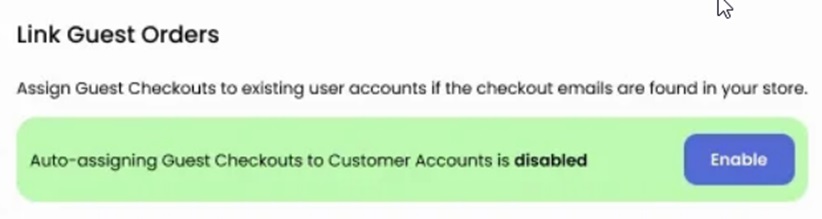
1. Automatic Guest Checkout Association
Enable the automatic merging of guest orders to seamlessly connect guest checkouts with their corresponding customer accounts, removing the need for manual data linking and ensuring a unified customer history.
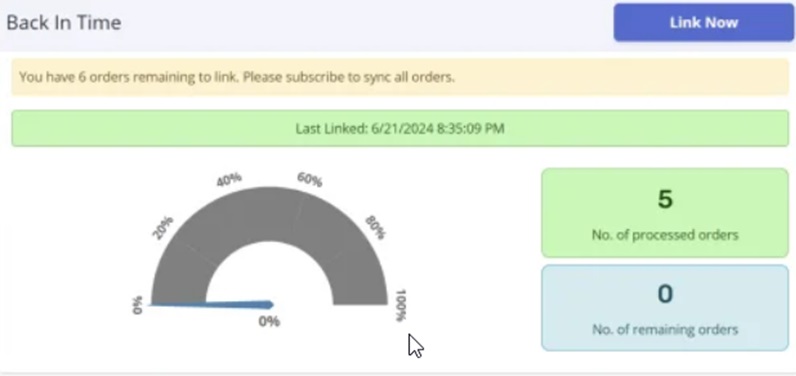
2. Historical Guest Order Merging
Utilize our retrospective syncing feature to identify and merge past guest orders with their respective customer accounts, creating a comprehensive customer profile that includes all purchases.
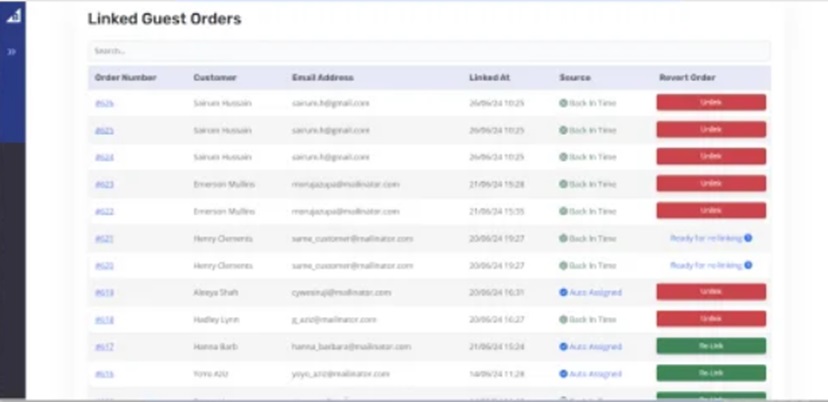
3. Linked Orders Management
Gain a centralized overview of all synced orders, making it easy to manage and track guest customer orders seamlessly.
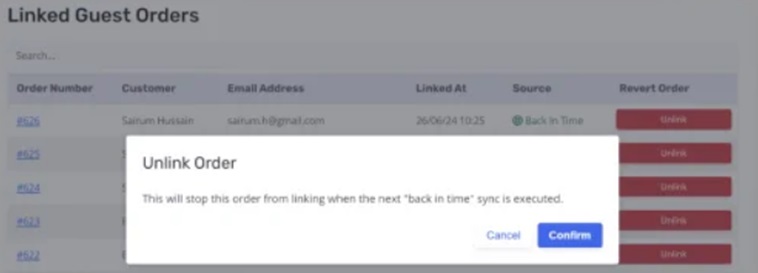
4. Undo and Relink Orders
This feature allows you to undo the association of orders with registered customer accounts that were previously linked through the app. It also enables the relinking of orders that have been dissociated from their customer accounts.
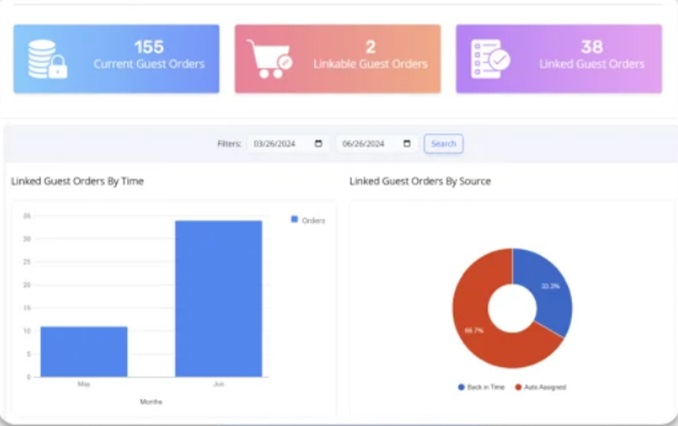
5. Order-Related Insights
The Link Guest Orders app’s dashboard offers an outstanding user experience with its clear and visually appealing presentation of order-related statistics. With intuitive graphs, charts, and precise figures, our dashboard ensures that merchants can easily understand and analyze their data.
Conclusion
Merging guest orders to customer accounts is a smart way to improve your eCommerce operations and customer satisfaction. By using tools to link guest orders, sync guest orders, or associate guest orders with customer accounts, you can keep your order management efficient and your customers happy.
Read Also: 9 Best BigCommerce Templates For Online Stores In 2024