What are product bundles?
Product bundles, or “package deals,” combine several individual goods or services into one package, typically featuring complimentary items. Unlike “multipacks” of identical items, bundles offer a cost-effective way to purchase multiple related products, such as a fixed-price meal or a beach kit.
Retailers may sell certain items exclusively as part of a bundle or offer them both individually and bundled, with bundles generally costing less. Highlighting these savings can attract customers who might have intended to purchase just one item.
Product bundles can be marketed throughout the online shopping experience, from the homepage to checkout, with promotions like “add this and save.” They appeal to customers seeking discounts and convenience, while retailers benefit from higher average order values, reduced price-comparison shopping, and opportunities for cross-selling.
In this blog, we’ll not only cover how you can achieve basic bundle functionality in BigCommerce, but also explore an alternative approach and discuss how advanced customizations can be implemented. At Folio3, we’ve successfully delivered such solutions, like creating ERP Kit Products as bundles for BigCommerce stores. If you’re exploring custom bundle options, our certified BigCommerce experts can share similar case studies and help customize the right solution for your business.

Benefits of product bundles
- Increase Average Order Value
- Get rid of excess stock
- Reduced costs and fulfillment price of an order
- Simplified purchasing process
- Discounted products for customer
How to create bigcommerce bundle products ?
Is there a way to create product bundles on BigCommerce?
Yes, we can create bundles in bigcommerce using Modifier Options (Pick List)
Create bigcommerce product bundles using picklist
In BigCommerce you can achieve it using customizations -> Modifier Options below are the detail steps
First move to the main product that you want to use as bundle
Step 1 : in the left bar click Customizations -> Modifier Options
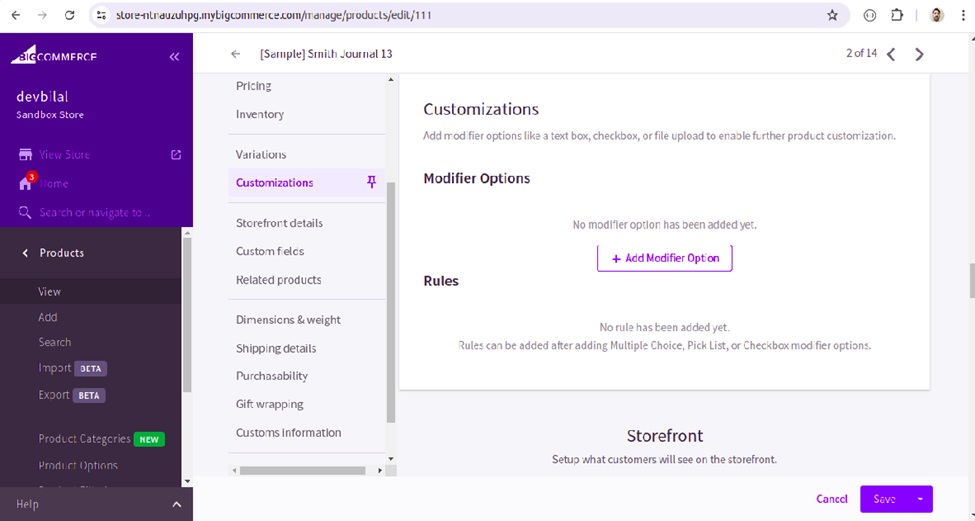
Step 2 : click + Add Modifier option
– Add Name e.g. bundle-product-1
– Select Type Pick List
– Search Products
– check Required option
– select Default radio button
Step 3 : choose Option Config
– Show product image on Storefront (it shows product image on storefront)
– Adjust inventory for these products when purchased (to adjust inventory)
– Adjust the price based on the chosen option (to add price of selected product)
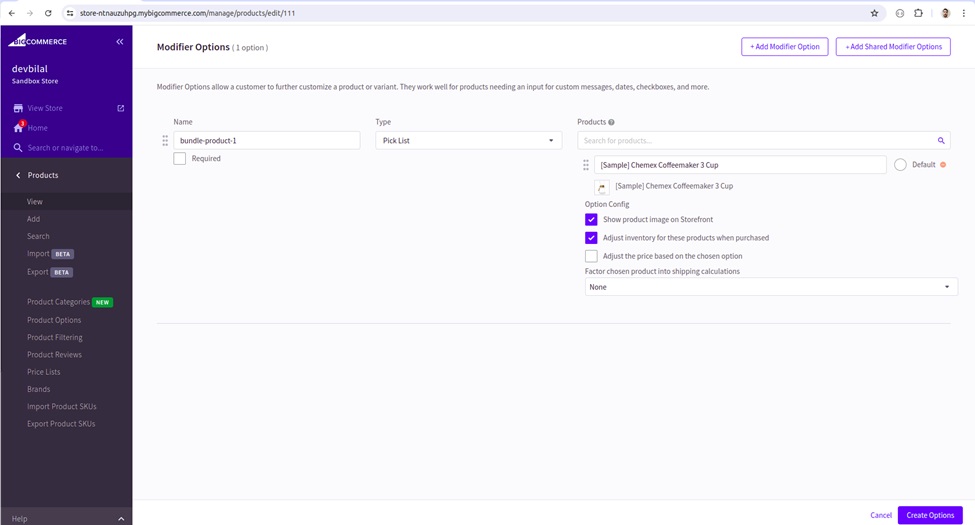
Step 4 : Now click -> Create Options buttons and Click Save
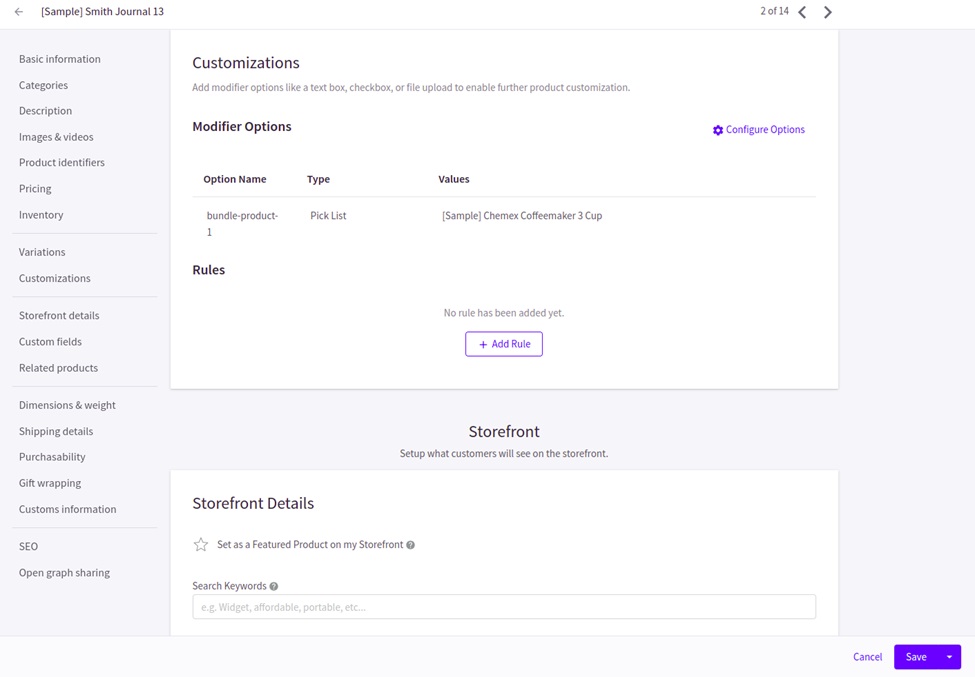
Preview product on store front the selected Modifier Options product has now been listed with the main product as bundle product
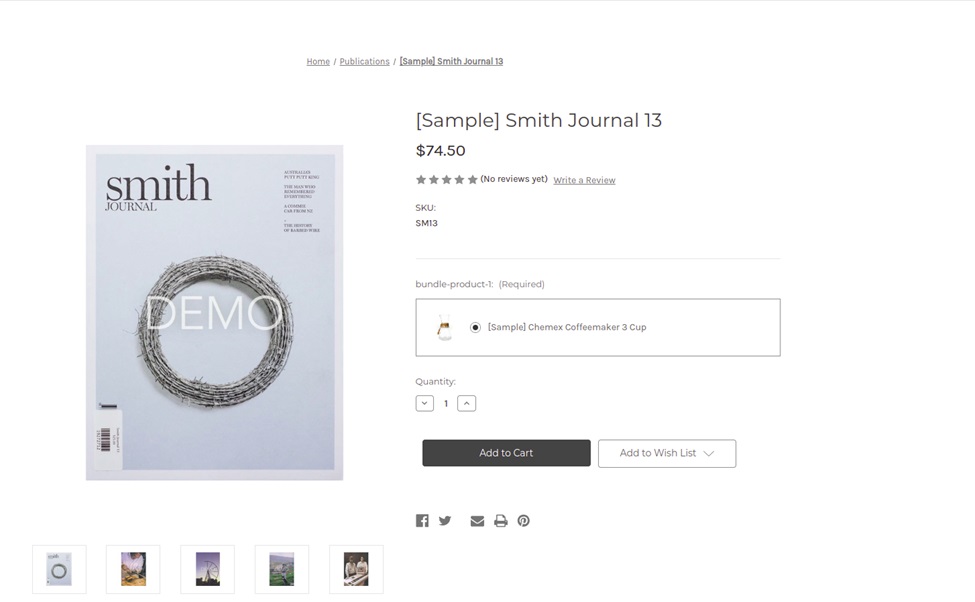
When user Add to Cart the product all the other products in Pick List will also add to the cart automatically
Step 5: If you need multiple products in the bundle than create more Modifier options using Pick List
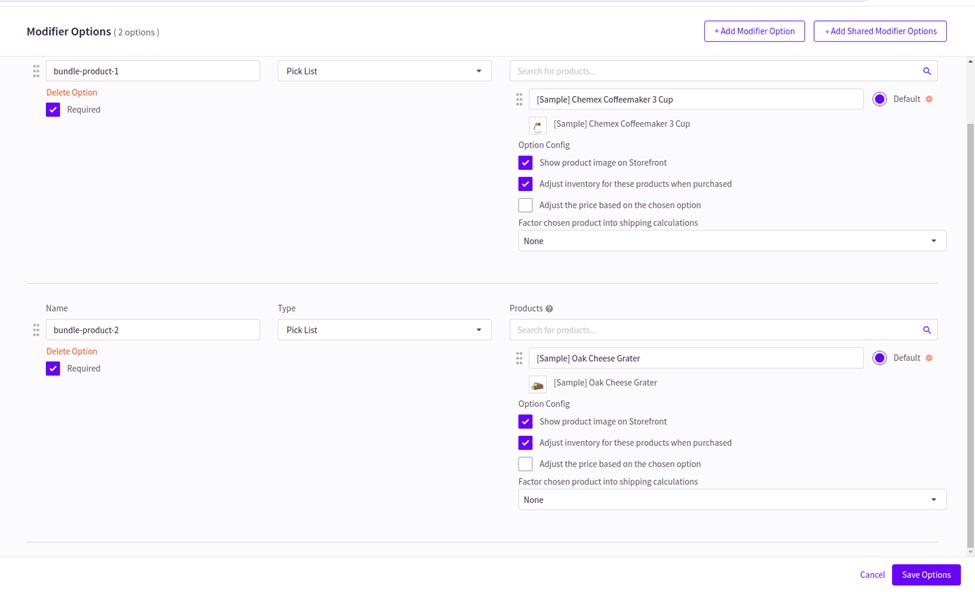
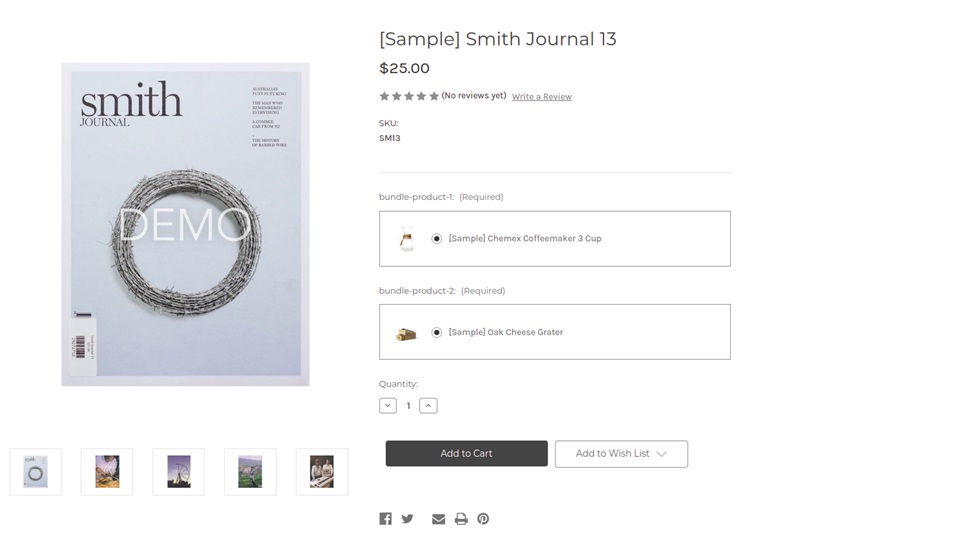
View product on store front you will have multiple products attached to your product as bundle
Cart will show the products like this
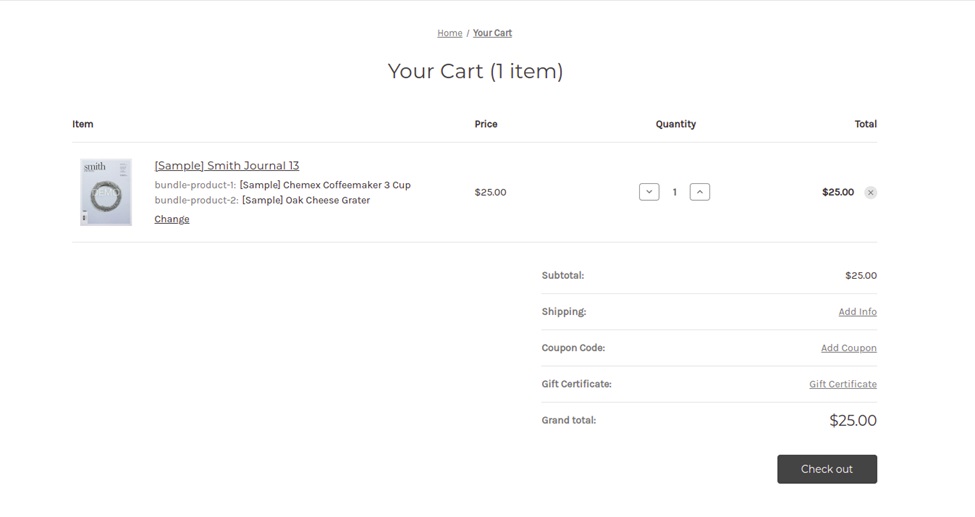
Main product with multiple modifier picklist products that is how you can create the BigCommerce product bundles without using any App
Create bigcommerce bundles using 3rd party Apps
There are many 3rd party available in bigcommerce marketplace
2. Sumtracker Inventory Management & Bundles
3. Bundlebees
You can check the multiple bundle Apps here.
Conclusion:
In BigCommerce, basic bundle functionality can be achieved using Modifier Options → Pick List. However, if you’re looking to go beyond the basics and create fully customized bundle products, such as Assembly or Kit Products created in ERP or advanced configurations tailored to your business needs, Folio3 can help.
Our team of certified BigCommerce developers has successfully delivered custom bundle solutions for multiple clients, ensuring seamless integration and scalability.
Contact Folio3 today to explore how we can build the perfect bundle experience for your store.