


Executive Summary
Magento and Adobe Commerce stores can perform well under normal traffic but begin experiencing serious performance problems when traffic increases significantly.
This becomes particularly challenging for established eCommerce businesses running Magento on infrastructure that was originally designed for much smaller traffic volumes. A specialist Adobe Commerce development company can separate code problems from infrastructure problems.
One of our eCommerce clients faced exactly this problem.
Their Magento store was running on a single-server architecture. As the business and traffic grew, customers began experiencing slow response times and page timeouts, while the server experienced increasingly high resource utilization during peak periods.
Rather than treating this purely as a Magento code optimization problem, we investigated the application’s infrastructure and identified a scalability limitation in the underlying architecture. For stores with similar symptoms, see our Magento optimization services.
The Problem
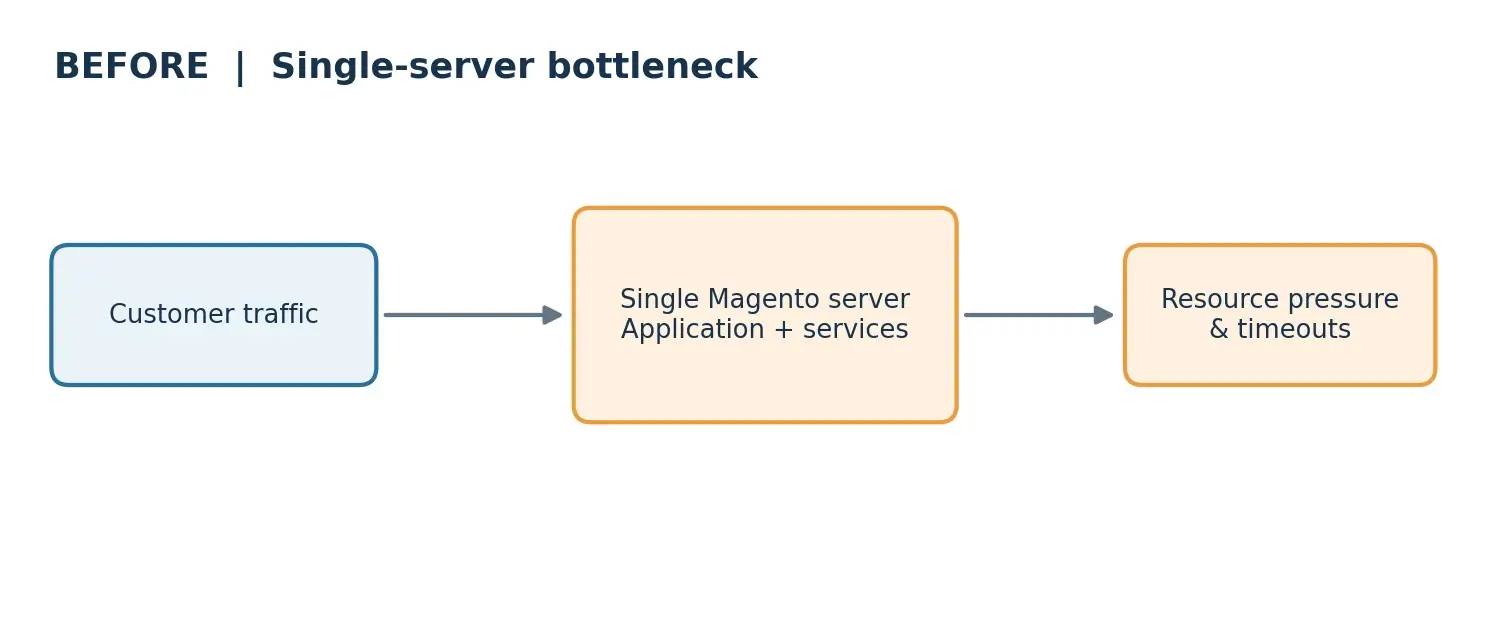
For an eCommerce business, infrastructure performance is directly connected to customer experience and revenue.
The client’s Magento application, web services, and supporting components depended heavily on a single server.
This architecture created several risks.
During periods of increased traffic, the server had limited capacity to absorb additional requests. Increasing traffic resulted in higher server load, slower application response times, and eventually page timeouts.
More importantly, the architecture represented a single point of failure. If the server became unavailable, the Magento storefront could become unavailable with it.
Simply increasing the size of the server would provide additional capacity, but it would not fundamentally solve the scalability or availability problem.
The business therefore needed an architecture that could:
✓ Handle fluctuations in Magento storefront traffic
✓ Distribute requests across multiple application instances
✓ Automatically increase capacity during traffic spikes
✓ Reduce dependency on a single server
✓ Maintain availability if an individual instance failed
✓ Scale as the eCommerce business continued to grow
The Solution
Our assessment showed that the primary constraint was not a single Magento feature or frontend component.
The underlying infrastructure itself had become a bottleneck.
The Magento environment relied on a single-server architecture with finite compute resources. As concurrent traffic increased, all requests continued to compete for the same server resources.
This meant vertical scaling, continuously increasing the size of one server, would only postpone the problem.
We therefore recommended moving toward a horizontally scalable Magento architecture.
“How can we make this Magento server bigger?”
“How can we allow Magento capacity to expand and contract based on actual demand?”
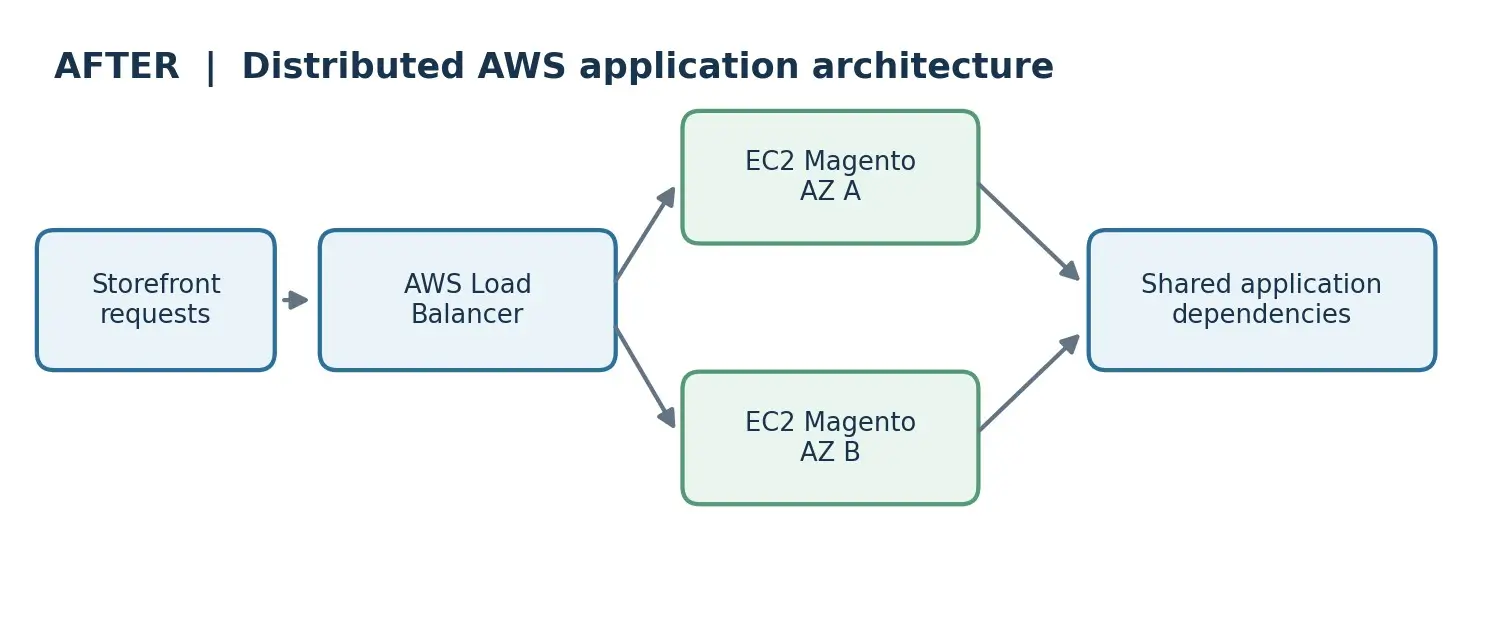
We redesigned the Magento hosting architecture around multiple Amazon EC2 instances rather than relying on a single application server.
The new architecture incorporated load balancing, automatic scaling, shared application dependencies, and redundancy across infrastructure components.
Magento was deployed across multiple EC2 instances.
This allowed application traffic to be processed by more than one server and removed the dependency on a single Magento application node.
As demand increased, additional instances could participate in processing storefront traffic.
An AWS Elastic Load Balancer was introduced in front of the Magento application instances.
Incoming requests could therefore be distributed across healthy application servers rather than being directed to one server.
This reduced the possibility of an individual Magento node becoming overwhelmed while other compute capacity remained available.
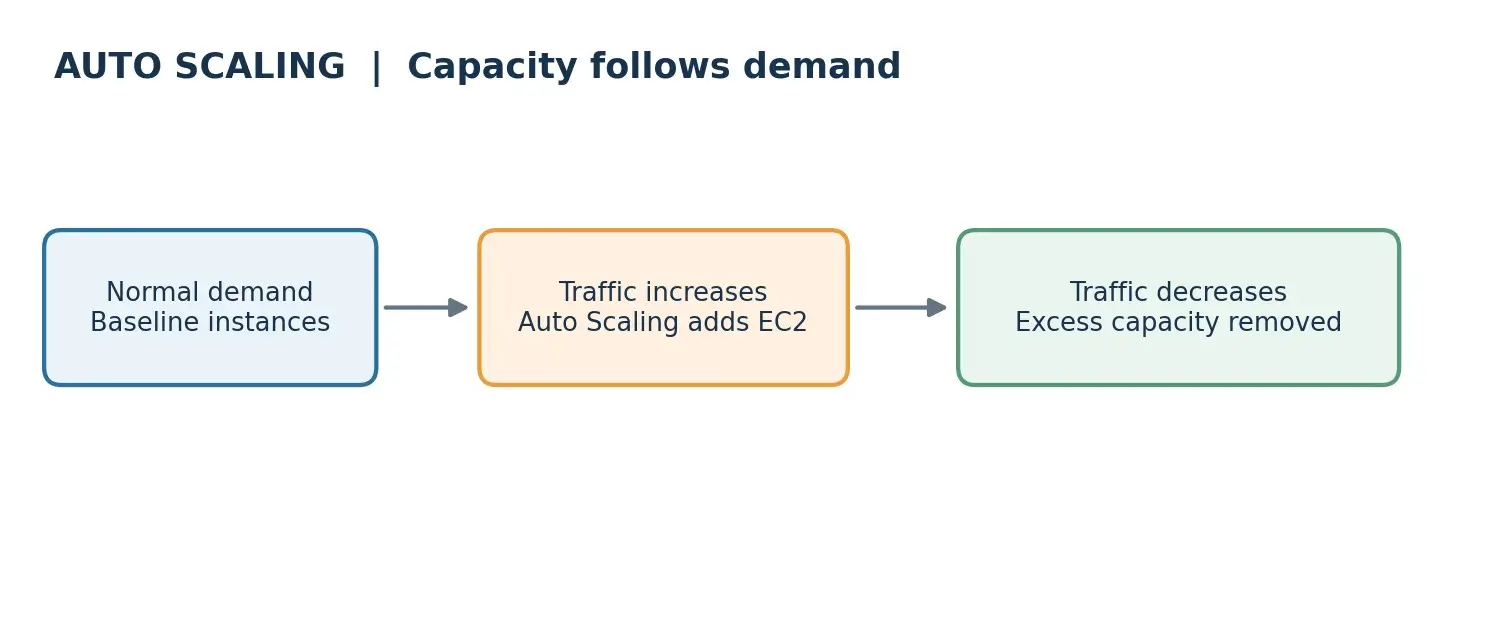
Auto Scaling was introduced so infrastructure capacity could respond dynamically to changing traffic.
When application demand increased, additional Magento instances could be introduced into the environment.
When traffic returned to normal levels, unnecessary capacity could be reduced.
This was particularly important for an eCommerce operation where traffic could vary significantly between normal periods, marketing campaigns, promotions, and other peak-demand events.
Application instances were designed to operate across multiple AWS Availability Zones.
This reduced the risk associated with relying on a single infrastructure location.
If an individual instance or availability zone experienced an issue, healthy application instances could continue serving storefront traffic.
Running multiple Magento application instances requires application state and shared services to be designed appropriately.
The architecture therefore used shared backend components so Magento nodes could operate consistently as part of the same application cluster.
This was an important architectural consideration because simply cloning a Magento server does not automatically create a scalable Magento environment.
The application, sessions, database connectivity, media, caching, deployments, and other shared dependencies must all be considered when designing horizontal scalability.
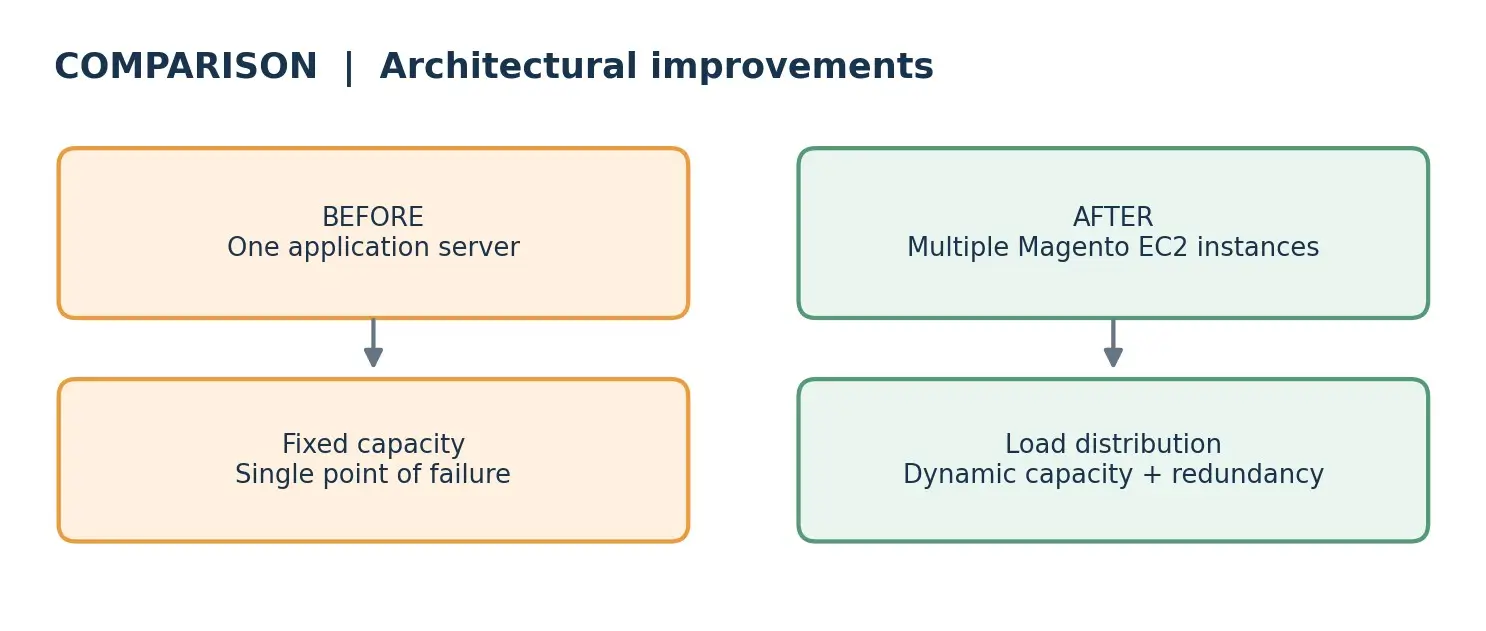
Why This Approach Was Better Than Simply Upgrading the Server
A common response to Magento performance problems is to increase server CPU or memory.
That can provide temporary relief, but it does not eliminate several architectural limitations.
A larger single server can still:
✓ Become overloaded
✓ Represent a single point of failure
✓ Require additional upgrades as traffic grows
✓ Provide unused capacity during low-traffic periods
Horizontal scaling addresses the problem differently.
Instead of relying on one increasingly powerful server, application capacity can be distributed across multiple Magento nodes and adjusted according to demand.
For growing eCommerce businesses, this provides a stronger foundation for both scalability and availability.
| Approach | Scales with demand | Single point of failure | Idle capacity off-peak |
| Larger single server | No: needs repeated upgrades | Yes | Yes |
| Multiple EC2 instances with load balancing and Auto Scaling | Yes: capacity expands and contracts | Reduced: healthy instances keep serving | Reduced: unneeded capacity is removed |
Customer Benefits
Storefront traffic is now spread across multiple application instances instead of one server.
The environment absorbs more traffic by adding capacity, not by resizing one server.
Multiple instances remove the dependency on a single Magento server.
Load balancing and Auto Scaling respond to changes in storefront demand.
Capacity follows demand instead of being provisioned permanently for the maximum expected traffic.
The architecture can evolve as transaction volumes, catalog size, integrations, and storefront traffic increase, including when you run multiple brands and regional stores on one platform.
What Other Magento Businesses Can Learn From This
Slow storefront performance can originate from custom modules, database queries, third-party integrations, caching configuration, frontend assets, search services, infrastructure capacity, or a combination of these factors.
For businesses experiencing performance degradation primarily during periods of increased traffic, infrastructure scalability should therefore be part of the investigation.
✓ Does the Magento application depend on a single web server?
✓ What happens when concurrent traffic suddenly increases?
✓ Can additional application nodes be introduced automatically?
✓ Is traffic distributed across multiple healthy instances?
✓ Are sessions, cache, media, search, and other dependencies compatible with multiple Magento nodes?
✓ Is there a single infrastructure component whose failure can take down the storefront?
✓ Is the business paying for peak capacity even during low-traffic periods?
Answering these questions can help determine whether the problem requires Magento code optimization, infrastructure optimization, or both. A Magento website audit is a practical way to get those answers.
Frequently Asked Questions
Magento can be designed to handle traffic spikes through a combination of application optimization, caching, CDN configuration, load balancing, multiple application instances, database optimization, and infrastructure Auto Scaling. The appropriate architecture depends on the store’s traffic patterns and application design.
Increasing an EC2 instance size can provide additional capacity, but it remains vertical scaling. For stores requiring greater resilience and dynamic scalability, multiple Magento application instances behind a load balancer can provide a more scalable architecture.
Yes. Magento can operate across multiple application instances, but shared dependencies such as sessions, cache, media, database services, search services, deployment processes, and application configuration must be designed appropriately.
If performance deteriorates primarily when concurrent traffic increases, infrastructure capacity, database utilization, PHP workers, cache efficiency, external integrations, and application bottlenecks should all be investigated. The root cause should be established through monitoring and profiling rather than assuming Magento itself is the problem.
Auto Scaling allows compute capacity to respond to changes in application demand. For eCommerce businesses with variable traffic, this can improve resilience during traffic spikes while avoiding the need to permanently maintain peak compute capacity.
Conclusion
The key lesson from this project was that solving Magento performance problems requires identifying the actual bottleneck before optimizing individual components.
In this case, the limitation was architectural.
Moving from a single-server Magento deployment to a distributed AWS architecture with multiple EC2 instances, load balancing, Auto Scaling, and improved redundancy provided the client with a more scalable foundation for continued eCommerce growth.
For Magento and Adobe Commerce businesses experiencing slow response times, timeouts, or infrastructure instability during peak traffic, evaluating the scalability of the hosting architecture can be just as important as optimizing Magento itself.

