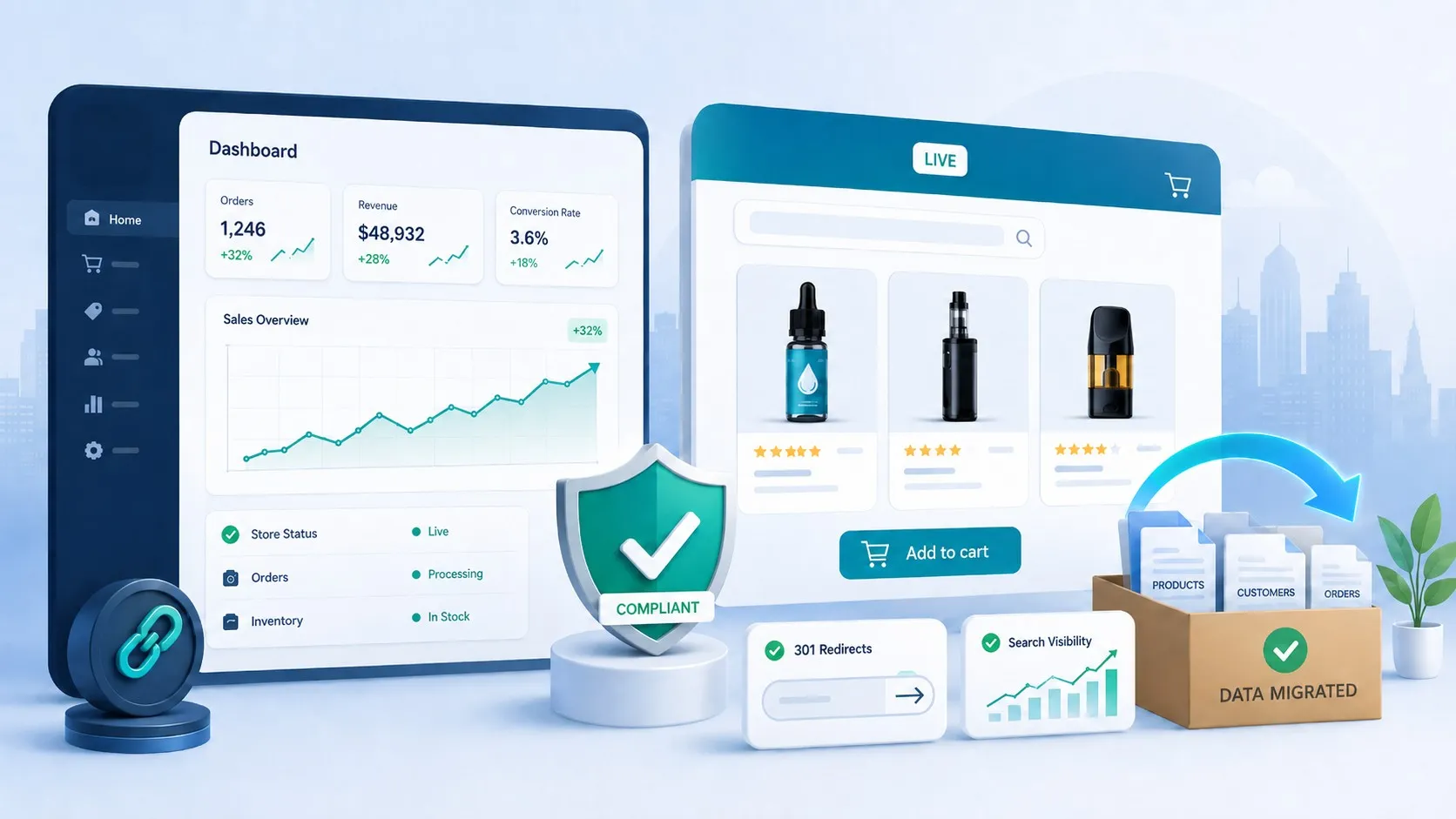
When building your online business, understanding the difference between google merchant vs Shopify is crucial for your e-commerce success. These two platforms serve different but complementary purposes in the digital marketplace. While Shopify provides the foundation for your online store, Google Merchant Center amplifies your product visibility across Google’s ecosystem. Many business owners wonder whether they need both platforms or if one is sufficient for their needs.
The choice between google merchant center vs Shopify isn’t always straightforward. Shopify functions as your complete e-commerce platform where you build, manage, and sell products. Google Merchant Center, conversely, acts as a product data hub that feeds information to Google Shopping and other Google services. Understanding how these platforms work individually and together can significantly impact your online sales strategy.
This comprehensive guide explores everything you need to know about Shopify and google merchant center, including their unique features, pricing structures, integration capabilities, and which platform best suits your business goals.
Summary
Here’s what you’ll discover in this guide:
- Platform Definitions: Clear explanations of what Google Merchant Center and Shopify are, and how they function differently in the e-commerce ecosystem
- Feature Comparisons: Detailed breakdowns of pros and cons for each platform, covering customization, costs, marketing automation, and account management
- Pricing Analysis: Complete cost breakdowns, including Shopify’s tiered pricing structure and Google Merchant Center’s free-to-use model with paid advertising options
- Integration Strategies: Step-by-step guidance on connecting your Shopify store with Google Merchant Center for maximum visibility
- Use Case Scenarios: When to use Shopify alone, Google Merchant Center independently, or both platforms together.
- Set up Instructions: Technical walkthroughs for configuring Google Merchant Center with your Shopify store
- Practical FAQs: Answers to common questions about deactivating connections, configuring channels, and automating product uploads
What Are Google Merchant Center and Shopify, and What Do They Offer Business Owners?
Understanding Google Merchant Center
Google Merchant Center is a free platform where e-commerce businesses upload and manage product information that powers Google Shopping Ads and organic listings. Think of it as your product catalog’s direct connection to Google’s vast search network.
Through Google Merchant Center, you can provide detailed information about your products, including images, prices, availability, and shipping details. Your products and critical store information sync seamlessly with Google’s ecosystem, appearing in relevant searches across Google Shopping, Google Search, and Google Images.
The platform serves as a centralized dashboard where online merchants maintain their presence across all Google e-commerce products. When shoppers search for products on Google Shopping, they’re seeing items uploaded through Google Merchant Center. The platform also powers unpaid, organic product listings in the Google Shopping Tab, giving qualifying sellers free exposure.
Key capabilities of Google Merchant Center include:
- Direct reach to customers through Google search results
- Analytics insights through Google Analytics integration
- Product review systems that build customer trust
- Integration with Google My Business for local visibility
- Flexible checkout options (website, local stores, or directly on Google)
Now that we understand Google Merchant Center’s role, let’s explore what Shopify brings to the table.
Understanding Shopify as an E-Commerce Platform
Shopify is a comprehensive e-commerce platform that enables business owners to create, customize, and manage their entire online store. Unlike Google Merchant Center, which focuses on product visibility, Shopify provides the complete infrastructure for running an online business.
With Shopify, you get website hosting, product management tools, inventory tracking, payment processing, and customer service features—all in one package. The platform has become particularly popular among small businesses and entrepreneurs because it requires no coding experience and offers intuitive store-building tools.
Core features of Shopify include:
- Unlimited customization options with free and premium themes
- User-friendly interface designed for non-technical users
- Multiple sales channels (online store, social media, in-person)
- Built-in payment processing with Shopify Payments
- 24/7 customer support across all plans
- Mobile-responsive design for smartphone shoppers
- Comprehensive SEO and marketing tools
- Secure, cloud-based hosting with SSL certificates
The fundamental difference is clear: Shopify builds your store, while Google Merchant Center showcases your products to Google’s massive audience.
Google Merchant Center vs Shopify: Detailed Comparison
Pricing: Cost Analysis for Both Platforms
Google Merchant Center Pricing
Google Merchant Center itself is completely free to create and use. You can upload unlimited products, manage your product feed, and appear in organic Google Shopping results without paying anything. However, running Google Shopping Ads requires payment.
With Google Ads, you pay through these models:
- Cost-Per-Click (CPC): Pay each time someone clicks your ad
- Cost-Per-Engagement (CPE): Pay when users engage with your ad for over 10 seconds, expand it, or interact with it
The advertising budget is entirely flexible and controlled by you, making google merchant center vs Shopify pricing fundamentally different.
Shopify Pricing Structure
Shopify operates on a subscription model with three main tiers:
- Basic Shopify: $39/month – Includes essential features for new businesses
- Shopify: $105/month – Adds professional reports and lower transaction fees
- Advanced Shopify: $399/month – Provides advanced reporting and lowest fees
Additional costs to consider:
- Transaction fees (0.5% to 2% unless using Shopify Payments)
- Credit card processing fees (2.4% + 30¢ to 2.9% + 30¢ depending on plan)
- Premium themes ($100-$350 one-time)
- Third-party apps (varying monthly costs)
This pricing comparison shows why many merchants ask “is google merchant center worth it” alongside their Shopify investment—the combination can maximize ROI.
Integration and Compatibility
One major advantage of Shopify and google merchant center working together is their seamless integration. Shopify’s native Google Channel app automatically syncs your product catalog to Google Merchant Center, updating inventory, pricing, and product details in real-time.
Third-Party Integration Capabilities:
Google Merchant Center integrates with:
- BigCommerce
- WooCommerce
- PrestaShop
- Magento
- Google Ads
- Google Analytics
Shopify integrates with:
- Mailchimp
- Facebook & Instagram
- Amazon
- eBay
- CedCommerce
- Oberlo
- Hundreds of specialized apps
The ability to integrate both platforms creates a powerful sales ecosystem.
Delivery and Checkout Options
Shopify Checkout:
- Online checkout only
- Multiple payment gateways (credit cards, PayPal, Apple Pay, etc.)
- Customizable checkout experience
- Abandoned cart recovery features
- Local pickup options
- Digital product delivery
Shopify also integrates with Shop Pay for accelerated checkout. Learn more about Shop App vs Shopify and how these tools work together to enhance the customer experience.
Google Merchant Center Checkout:
- Flexible checkout locations (on your website, local stores, or Google)
- Customers can browse on Google and complete purchases through various channels
- Local inventory ads direct nearby shoppers to physical stores
Understanding these differences helps determine whether google merchant vs Shopify checkout options align with your customer preferences.
Support and Customer Service
Shopify Support:
- 24/7 customer support via phone, email, and live chat
- Extensive documentation library
- Video tutorials and Shopify Academy courses
- Active community forums
- Social media support channels
Google Merchant Center Support:
- Online help center with detailed documentation
- Community forums
- Email support (response times vary)
- No phone support for standard accounts
Shopify clearly wins in the support category, offering more accessible and comprehensive assistance.
The Top 3 Pros and Cons of Using Shopify
1. Unlimited Customization Options
Shopify offers extensive customization possibilities with numerous free themes and premium options. Beyond the template library, you can add custom design elements, modify code, and create a unique brand experience. This flexibility allows businesses to grow without platform limitations.
2. User-Friendly E-Commerce Platform
Shopify built its reputation on simplicity and ease of use. The intuitive interface makes launching an online store accessible even for complete beginners. This user-friendly approach has resulted in thousands of successful businesses and established Shopify as a trusted e-commerce solution.
3. Straightforward Setup and Deployment System
Shopify is a turnkey solution requiring no technical expertise or prior website. Simply sign up, choose a theme, add products, and start selling. The streamlined setup process means you can launch your online business within hours, not weeks.
The Top 3 Cons of Using Shopify
1. It Is Expensive Compared to Self-Hosted Alternatives
Unlike free, self-hosted platforms like WooCommerce or Magento, Shopify requires ongoing monthly payments. For developers comfortable building custom solutions, cheaper alternatives exist. However, Shopify’s pricing includes hosting, security certificates, payment processing, and updates—features that cost extra with self-hosted options.
2. No Built-In Marketing Automation
Shopify’s standard plans don’t include marketing automation tools. If you want automated email campaigns, customer segmentation, or advanced marketing workflows, you’ll need third-party apps like Mailchimp or pay for Shopify’s premium marketing apps. For scaling businesses, this represents an additional cost.
3. Hefty Transaction Fees
Every sale on Shopify incurs transaction fees unless you use Shopify Payments. These fees vary by plan (2% on Basic down to 0.5% on Advanced) but can surprise new merchants who don’t factor them into pricing strategies. These charges add up quickly for high-volume sellers.
The Top 3 Pros and Cons of Using Google Merchant Center
The Top 3 Pros of Using Google Merchant Center
1. Completely Free Platform
Google Merchant Center costs nothing to set up or maintain. You only pay for advertising when you choose to run Google Shopping Ads, and even then, you control your budget completely. This makes it an attractive option for businesses wondering “is google merchant center worth it”—the answer is yes, especially since there’s no financial risk.
2. Massive Visibility Across Google’s Network
Google processes over 8.5 billion searches daily, giving your products enormous exposure potential. When properly optimized, your products appear in Google Shopping results, Google Search, Google Images, and the Google Shopping Tab—reaching customers at critical decision-making moments.
3. Comprehensive Product Advertising
Google Merchant Center allows detailed, precise product listings that update in real-time. You can modify prices, inventory levels, and product details instantly, ensuring customers always see accurate information. These rich product listings include images, prices, reviews, and availability—all factors that drive conversions.
The Top 3 Cons of Using Google Merchant Center
1. Account Suspension Risk
Google can suspend Merchant Center accounts for various policy violations, including missing contact information, incorrect product data, or website issues. Many merchants have experienced sudden suspensions without clear explanations, making it frustrating to resolve problems quickly. This uncertainty is a significant drawback when comparing google merchant center vs Shopify reliability.
2. Limited Campaign Control
Unlike traditional Google Ads campaigns, you have less granular control over which products receive more visibility. Google Shopping campaigns operate with broader targeting, making it challenging to prioritize specific products or categories without creating multiple campaigns.
3. Complex Data Feed Requirements
Maintaining a proper product feed requires technical knowledge and constant monitoring. Data feed errors cause product disapprovals, reducing visibility. Bulk editing is limited, and optimizing feed data for maximum performance demands ongoing attention and expertise.
Google Merchant vs Shopify: Side-by-Side Comparison Tables
Benefits Comparison
| Google Merchant Center Pros | Shopify Pros |
| Completely free to use and maintain | 24/7 customer support available via phone, chat, and email |
| Tremendous search engine visibility advantage | Mobile-friendly responsive interface for seamless browsing |
| Create detailed, precise product advertisements | Extensive customization options with numerous free templates |
| Centralized hub for managing product feeds | Complete SEO functionality for improved search rankings |
| Integration with established e-commerce platforms | Comprehensive PCI DSS compliance for secure transactions |
Limitations Comparison
| Shopify Cons | Google Merchant Center Cons |
| Relatively expensive compared to alternatives | Account suspension risk with limited warning |
| Transaction fees on every sale | Ongoing battles with account, feed, and product issues |
| No built-in marketing automation | Limited control over product visibility allocation |
| Basic marketing tools requiring upgrades | Requires technical expertise for catalog management |
| Migration complexity to other platforms | Time-consuming data feed uploads and maintenance |
This comparison highlights why understanding Shopify and google merchant center as complementary rather than competitive platforms makes strategic sense. For businesses comparing Shopify to other e-commerce platforms, our detailed Shopware vs Shopify comparison provides additional insights into platform selection.
When to Use Google Merchant Center, Shopify, or Both
Use Shopify Alone When:
- You’re starting a brand-new online business without existing infrastructure
- You need complete control over your website design and customer experience
- You want to sell across multiple channels (social media, marketplaces, in-person)
- Your products require detailed product pages with extensive descriptions
- You’re building a brand-focused business with unique positioning
If you’re wondering whether Shopify is the right platform for your business, consider these factors carefully before making your decision.
Use Google Merchant Center Alone When:
- You already have an established e-commerce website (BigCommerce, WooCommerce, custom-built)
- Your primary goal is increasing product visibility through Google
- You want to test product demand before building a full store
- You’re focused on comparison shoppers searching directly for products
- You have limited budget and need free marketing channels
For businesses exploring dropshipping or selling other people’s products, Google Merchant Center can help test product viability before major platform investments.
Use Both Platforms Together When:
- You want maximum online visibility and sales potential
- You’re ready to invest in comprehensive e-commerce infrastructure
- Your products are highly competitive and benefit from multi-channel presence
- You have adequate budget for both monthly subscriptions and advertising
- You’re serious about scaling your e-commerce business
Most successful online retailers eventually use Shopify and google merchant center together, leveraging each platform’s strengths for optimal results.
How to Set Up Google Merchant Center for Your Shopify Store
Integrating google merchant center vs Shopify accounts creates powerful synergy. Here’s your step-by-step guide.
Prerequisites Before Starting
Before beginning setup, ensure you have:
- An active Shopify store with products listed
- A Google account (Gmail)
- Your store’s website verified with Google
- Clear product images and descriptions
- Accurate pricing and inventory data
Step 1: Create Your Google Merchant Center Account
Navigate to the Google Merchant Center homepage and click “Get Started.” Sign in with your Google account or create one if needed.
Complete these required actions:
- Business Information: Enter your store name, website URL, and business location
- Terms and Conditions: Read and agree to Google’s terms of service
- Website Verification: Verify ownership of your Shopify domain
Step 2: Configure Shipping and Tax Settings
After account creation, configure critical settings:
Access the settings menu and locate “Shipping and Returns.” Choose whether to:
- Import from Shopify: Automatically sync shipping rates from your Shopify settings
- Manual Configuration: Set up custom shipping rules directly in Google Merchant Center
Configure tax settings based on your business location and requirements.
Step 3: Install the Google Channel on Shopify
From your Shopify admin panel, navigate to Sales Channels and click “Add Sales Channel.” Search for “Google” and install the Google Channel app.
Connect your Google account when prompted, then link your newly created Google Merchant Center account.
Step 4: Configure Product Sync Settings
Within the Google Channel settings, configure how products sync:
- Target Market: Select the countries where you want to advertise
- Product Language: Choose your catalog’s language
- Product Titles: Decide whether to use Shopify titles or customize for Google
- Product Descriptions: Optimize descriptions specifically for Google Shopping
Step 5: Review and Approve Products
After configuration, Shopify automatically syncs your product catalog to Google Merchant Center. Review the product status dashboard to ensure all items are approved.
Address any disapprovals by clicking on the error messages and following Google’s recommendations.
This integration process demonstrates why is google merchant center worth it for Shopify merchants—automated syncing saves countless hours of manual product management.
Optimizing Your Google Shopping Listings
Simply uploading products isn’t enough. Follow these optimization strategies to maximize visibility.
Product Title Optimization
Create descriptive, keyword-rich titles following this format:
Brand + Product Type + Key Attributes + Size/Color/Material
Example: “Nike Running Shoes Men’s Air Zoom Pegasus Black Size 10”
High-Quality Product Images
Use clear, professional photos with:
- White or neutral backgrounds
- Multiple angles showing product details
- Minimum 800 x 800 pixels resolution
- Accurate color representation
Detailed Product Descriptions
Write comprehensive descriptions including:
- Key features and benefits
- Material and construction details
- Sizing and fit information
- Care instructions
- Use cases and applications
Competitive Pricing
Google Shopping is price-competitive. Research competitor pricing and ensure your prices are competitive while maintaining profitable margins.
Product Reviews and Ratings
Encourage customers to leave reviews. Products with 4-5 star ratings receive preferential placement and higher click-through rates. Once traffic arrives at your Shopify store, use conversion rate optimization apps to maximize the value of every visitor from your Google Shopping campaigns.
Is Google Merchant Center Worth It for Your Business?
When evaluating is google merchant center worth it, consider these factors:
Compelling Reasons to Use Google Merchant Center
- Massive Search Reach: Google dominates search with 92% market share globally. Your products gain exposure to billions of potential customers.
- Free Organic Listings: Appearing in organic Shopping Tab results provides free traffic without advertising costs.
- Purchase Intent Traffic: Shoppers on Google Shopping have high purchase intent, resulting in better conversion rates than social media traffic.
- Performance Tracking: Detailed analytics show exactly which products drive clicks and conversions, informing inventory and marketing decisions.
- Competitive Advantage: Many small businesses don’t use Google Merchant Center, giving you visibility advantages over competitors.
When Google Merchant Center May Not Be Worth It
- Very Limited Budget: If you can’t invest time in feed optimization or budget for Google Ads, results may disappoint.
- Highly Regulated Products: Products in restricted categories face complex approval processes and frequent disapprovals.
- Brand-Building Focus: If your strategy prioritizes brand storytelling over product comparisons, other channels may work better.
- Low Profit Margins: The advertising costs might not justify ROI for extremely low-margin products.
For most e-commerce businesses, the answer to “is google merchant center worth it” is a resounding yes, especially when combined with a Shopify store. When evaluating overall e-commerce profitability and ROI, both platforms together typically deliver better results than either alone.
Advanced Tips for Managing Shopify and Google Merchant Center
Leverage Custom Labels
Google Merchant Center allows custom labels for advanced campaign segmentation. Use them to tag:
- Profit margin tiers (high, medium, low)
- Seasonal products
- Best sellers versus new arrivals
- Clearance versus regular inventory
This segmentation enables targeted bidding strategies that maximize ROI.
Use Google Shopping Smart Campaigns
Smart Shopping campaigns use machine learning to automatically optimize bids, placements, and audiences. While offering less control, they often deliver better results for merchants without extensive advertising experience.
Monitor Product Performance Regularly
Check your Google Merchant Center dashboard weekly to:
- Identify disapproved products requiring attention
- Review which products generate clicks but no conversions
- Analyze impression share for competitive insights
- Update seasonal product availability
Implement Structured Data on Shopify
Add structured data markup to your Shopify store to enhance how Google displays your products. This includes:
- Product schema markup
- Review and rating schema
- Price and availability markup
- Breadcrumb navigation schema
A/B Test Product Titles and Images
Create variations of product titles and images to test which combinations drive higher click-through rates. Use Google Merchant Center’s supplemental feed feature to test without changing your Shopify store.
Common Mistakes to Avoid
Mistake #1: Neglecting Product Feed Quality
Low-quality product data leads to disapprovals and poor performance. Invest time in creating accurate, detailed product information from the start.
Mistake #2: Ignoring Google’s Requirements
Google has specific requirements for product data, images, and website policies. Review these guidelines before launching your first campaign.
Mistake #3: Setting and Forgetting Campaigns
Successful shopify and google merchant center integration requires ongoing management. Regular optimization, bid adjustments, and product updates are essential.
Mistake #4: Not Leveraging Negative Keywords
Use negative keywords to prevent your Shopping Ads from appearing for irrelevant searches, saving budget for qualified traffic.
Mistake #5: Overlooking Mobile Optimization
Over 60% of Google Shopping clicks come from mobile devices. Ensure your Shopify checkout process is mobile-optimized for maximum conversions.
Key Takeaways
- Google Merchant Center and Shopify serve different purposes: Shopify provides your complete e-commerce infrastructure, while Google Merchant Center amplifies product visibility across Google’s network
- Using both platforms together creates powerful synergy: The combination maximizes reach, conversions, and revenue potential for serious e-commerce businesses
- Google Merchant Center is free, Shopify requires subscription: Budget accordingly, with Shopify starting at $39/month and Google Merchant Center offering free organic listings plus optional paid advertising
- Integration is straightforward: Shopify’s native Google Channel app automates product syncing, making setup simple even for non-technical users
- Ongoing optimization is essential: Success requires regular attention to product feeds, campaign management, and performance monitoring
Conclusion: Making the Right Choice for Your Business
Understanding google merchant vs shopify fundamentally changes how you approach online selling. These platforms aren’t competitors—they’re complementary tools that work together to build successful e-commerce businesses.
Shopify provides the foundation: your website, shopping cart, product management, and customer service infrastructure. Google Merchant Center extends your reach, putting products in front of billions of potential customers actively searching for what you sell.
For most online retailers, the winning strategy combines both platforms. Start with Shopify to establish your online presence, then integrate Google Merchant Center to amplify visibility and drive qualified traffic to your store.
Whether you’re just launching your first store or scaling an established business, leveraging shopify and google merchant center together creates the comprehensive e-commerce ecosystem needed for long-term success.
Ready to take your e-commerce business to the next level? Folio3 offers expert Shopify development services to help you build, optimize, and scale your online store. Our team can also assist with Google Merchant Center setup and optimization, ensuring your products achieve maximum visibility across Google’s network.
Frequently Asked Questions About Google Merchant Center and Shopify
How Do I Deactivate a Shopify API Connection to the Google Merchant Center?
If you’ve switched from Shopify’s Google app to a dedicated data feed management platform, you should disconnect the Shopify API to prevent conflicting product data.
Follow these steps to deactivate your Shopify API connectivity:
- Log in to your Shopify account
- Navigate to “Sales Channels” in the left sidebar and click the “Google” channel.
- From the “Settings” page, select “Manage Your Account” next to your connected Google account.
- Locate the Google Merchant Center account section
- Click the “Disconnect” option to deactivate the Shopify API feed
- Click “Save” to confirm your changes
Disconnecting prevents Shopify from overriding optimized product data from your feed management solution, avoiding issues like item invalidations or lost custom labels.
What Is the Google Channel Configuration for Shopify?
The Google Channel is Shopify’s native app for connecting your store with Google Merchant Center. It automates product syncing and simplifies the setup process.
Configuration Requirements:
Before enabling the Google Channel, ensure your store meets these requirements:
- Secure checkout (HTTPS enabled)
- Refund policy page published
- Contact information accessible
- Shipping rates configured
- Return policy is clearly stated
Configuration Steps:
- From the Shopify admin, go to Sales Channels > Google, and click “Add sales channel”
- Click “Connect Google Account” and select or create a Google account
- Allow Shopify to access your Google account information
- Review setup requirements and make necessary store adjustments
- Select or create a Merchant Center account from the dropdown menu
- Verify account ownership by entering your phone number and verification code
- Configure target market settings (country and language for product listings)
- Set up shipping options: choose automated (sync from Shopify) or manual (configure in Google Merchant Center)
- Optionally customize product title and description preferences for Google Shopping
After completing setup, all products automatically sync to Google Merchant Center. Qualifying stores can appear in free organic Google Shopping results immediately.
How Do I Automatically Upload Products From Shopify to Google Shopping Merchant Center?
For bulk product uploads with advanced features, use third-party data feed management apps.
Steps to Create Automated Data Uploads:
- Install a Google Shopping feed management app from the Shopify App Store (popular options include DataFeedWatch, GoDataFeed, or Channable)
- Enable public downloads in the feed manager settings
- Create a new product export template customized for Google Shopping
- Generate the export and copy the exported file link
- In Google Merchant Center, navigate to “Products” > “Feeds”
- Click “Add Feed” and select “Scheduled Fetch”
- Paste your exported file link and set the automatic update frequency
- Save the feed configuration
This automation ensures Google always displays current product information, pricing, and inventory levels from your Shopify store without manual updates.
Can I Use Google Merchant Center Without Having a Shopify Store?
Yes, Google Merchant Center works with any e-commerce platform or custom website. Popular integrations include BigCommerce, WooCommerce, Magento, PrestaShop, and custom-built websites. You can also manually upload products via a spreadsheet or API without any e-commerce platform.
How Long Does It Take for Products to Appear on Google Shopping After Setup?
Initial product review typically takes 3-5 business days. After approval, products appear in organic listings immediately. For paid Shopping Ads, products show once you create and activate a campaign. Some products may face longer review times if they’re in sensitive categories or trigger policy reviews.
Do I Need Google Merchant Center If I Already Use Shopify?
While not strictly required, Google Merchant Center significantly expands your reach beyond your Shopify store. It places products directly in Google Search results where billions of purchase-ready shoppers discover products daily. The combination of shopify and google merchant center typically generates substantially higher revenue than using Shopify alone.
What Happens If My Google Merchant Center Account Gets Suspended?
Account suspensions halt all product listings and Shopping Ads immediately. Check the “Needs Attention” section in your Merchant Center dashboard for suspension reasons. Common causes include missing contact information, misleading claims, or policy violations. Submit an appeal through the dashboard once you’ve addressed the issues. Response times vary from days to weeks.
Is There a Difference Between Google Shopping and Google Merchant Center?
Yes. Google Merchant Center is the platform where you upload and manage product data. Google Shopping is the consumer-facing service where your products appear. Think of Merchant Center as the backend system and Google Shopping as the frontend display.
Can I Advertise on Google Shopping Without Using Shopify?
Absolutely. Google Merchant Center accepts products from any e-commerce platform or website. You don’t need Shopify to advertise on Google Shopping. However, Shopify’s integration simplifies the connection process for Shopify users.
How Much Should I Budget for Google Shopping Ads?
Start with $10-20 daily budget ($300-600 monthly) to gather performance data. Adjust based on results. High-competition industries may require larger budgets for meaningful results. Remember, you’re bidding against competitors for visibility, so budget requirements vary significantly by product category and competition level.