Running a successful print-on-demand business requires seamless integration between your storefront and fulfillment partner. The Shopify Printful integration connects two powerful platforms, enabling you to sell custom products without inventory management or upfront costs.
This guide walks you through everything from initial setup to advanced optimization strategies.
Whether you’re launching your first print-on-demand store or migrating from another platform, understanding how to connect Printful to Shopify properly sets the foundation for smooth operations and profitable growth.
Summary
Here’s what you’ll learn in this comprehensive guide to Shopify Printful integration:
- Quick Setup Process: Step-by-step instructions to connect Printful to Shopify in under 15 minutes, including account creation and API configuration
- Product Sync & Management: How automated product syncing works between platforms and strategies to manage your print-on-demand catalog efficiently
- Order Fulfillment Workflow: Understanding the complete order process from customer purchase to Printful production and shipping
- Pricing & Profit Optimization: How to calculate costs, set competitive prices, and maintain healthy profit margins on your print-on-demand products
- Common Challenges & Solutions: Troubleshooting integration issues, inventory management, and quality control best practices
- Automation Opportunities: Advanced workflows to streamline operations and scale your print-on-demand business
What Is Printful and Why Integrate It With Shopify?
Printful is a print-on-demand fulfillment service that produces and ships custom products only after customers place orders. The platform handles printing, packaging, and delivery while you focus on design, marketing, and customer relationships.
Shopify provides the e-commerce infrastructure for your online store. Together, they create a powerful combination where Shopify manages your storefront and Printful handles fulfillment automatically.
Key benefits of Printful Shopify integration include:
- Zero inventory risk: Products are created only when customers order, eliminating storage costs and unsold stock
- Automated fulfillment: Orders sync automatically from Shopify to Printful for production and shipping
- Product variety: Access to over 300 customizable products, including apparel, accessories, home goods, and more
- Global reach: Printful operates fulfillment centers in the US, Europe, and Mexico for faster international shipping
- Quality control: Professional printing techniques with consistent quality standards across all products
The integration operates through API connectivity, meaning the two platforms communicate directly without manual intervention. When a customer purchases a product in your Shopify store, Printful receives the order details, produces the item, and ships it directly to your customer under your branding.
How Printful Shopify Integration Works
Understanding the technical workflow helps you troubleshoot issues and optimize your operations. The Printful Shopify integration print on demand process follows this sequence:
- Product Creation & Sync: You design products in Printful’s mockup generator, set your retail prices, and push them to your Shopify store. The integration creates product listings automatically with images, descriptions, and variant options.
- Order Transmission: When customers complete purchases on your Shopify store, order information is transmitted to Printful within minutes. This includes product details, customer shipping addresses, and any personalization requirements.
- Production Queue: Printful receives the order and adds it to the production queue. Standard fulfillment time ranges from 2-7 business days, depending on product type and current volume.
- Quality Assurance: Each item undergoes inspection before packing. Printful’s quality control team checks print alignment, color accuracy, and overall product condition.
- Shipping & Tracking: After production, items ship directly to your customers. Tracking information syncs back to Shopify automatically, triggering customer notification emails.
- Inventory Management: The system maintains real-time inventory status. If Printful temporarily runs out of blank products, your Shopify listings update automatically to prevent orders for unavailable items.
This automated workflow minimizes manual tasks and reduces errors that commonly occur with manual order processing. Now that we’ve covered how the integration functions technically, let’s move into the actual setup process.
Printful Shopify Integration Setup: Step-by-Step Guide
Setting up the Printful Shopify integration requires both platforms to communicate through secure API connections. Follow these steps to connect Printful to Shopify correctly:
Step 1: Create Your Accounts
Start by establishing accounts on both platforms if you haven’t already. Visit Shopify.com to create your store, selecting a plan that matches your business needs. Most print-on-demand sellers start with the Basic Shopify plan at $39/month.
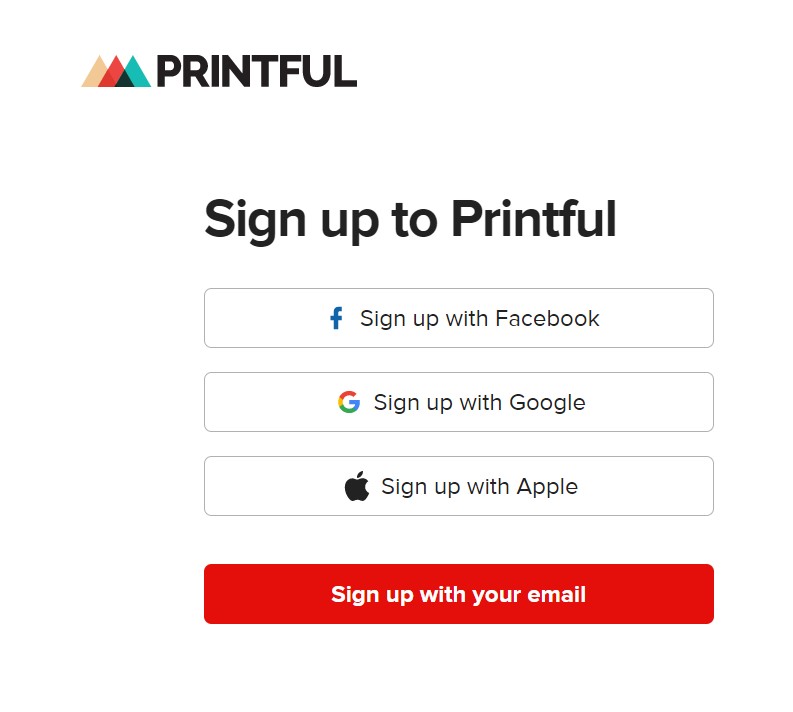
Register for a free Printful account at Printful.com. No subscription fees or monthly charges apply—you only pay for products when customers order.
Step 2: Access the Printful Integration Dashboard
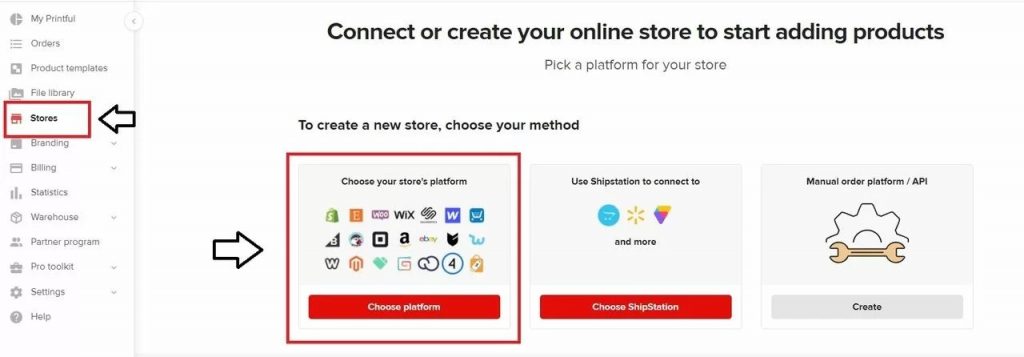
Log into your Printful account and navigate to the “Stores” section in the main menu. Click “Add Store” and select Shopify from the available platform options.
Printful will prompt you to enter your Shopify store URL. Input your complete store address (yourstore.myshopify.com) and click “Continue.”
Step 3: Authorize the Connection
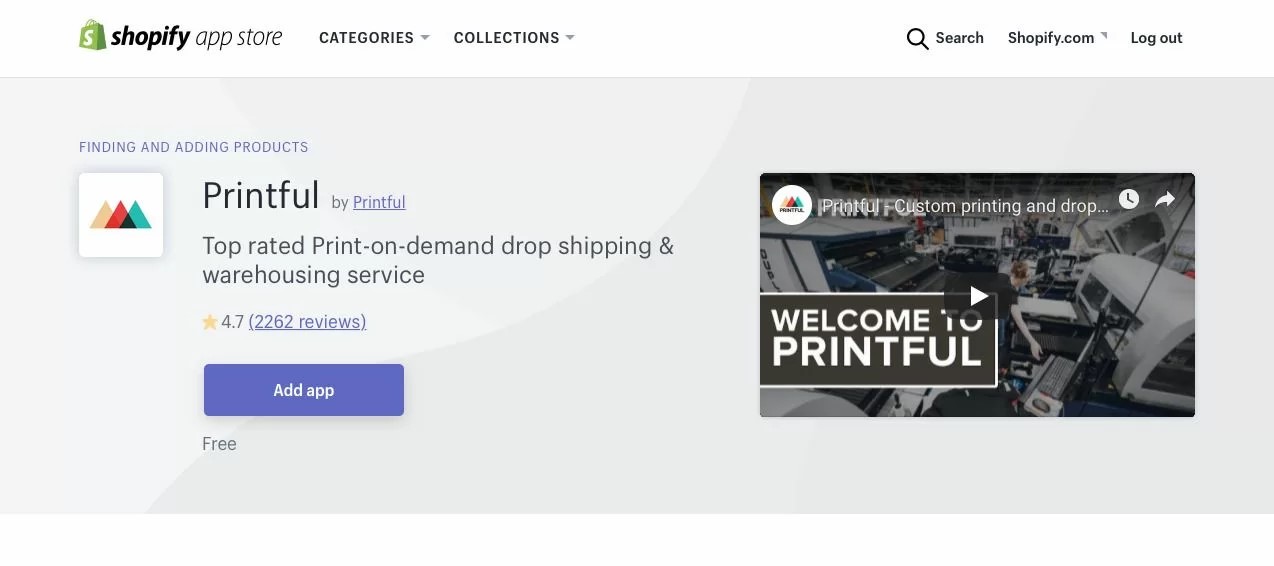
You’ll redirect to Shopify’s permission page where you authorize Printful to access your store data. Review the requested permissions, which include order management, product creation, and inventory updates.
Click “Install App” to grant access. This establishes the API connection between platforms and returns you to Printful’s dashboard.
Step 4: Configure Integration Settings
In your Printful dashboard, access integration settings to customize how the platforms work together. Key configuration options include:
- Order status handling: Choose when Printful should fulfill orders (after payment, after fulfillment, or manually)
- Retail prices: Set default markup percentages or manually price each product
- Shipping methods: Select which Printful shipping options to offer customers
- Tax calculations: Determine whether Printful or Shopify handles sales tax
- Branding options: Add custom packing slips and remove Printful branding from shipments
Step 5: Test the Integration
Before launching publicly, create a test order to verify everything works correctly. Design a simple product, push it to Shopify, and place a test order using Shopify’s test payment gateway.
Monitor the order as it moves from Shopify to Printful. Confirm that order details transfer accurately and tracking information syncs back properly.
The entire Printful Shopify integration setup typically takes 15-30 minutes for first-time users. With the connection established, you’re ready to start creating and selling products.
Creating and Managing Products After Integration
Once you’ve completed the how to connect Printful to Shopify process, product management becomes your primary focus. Here’s how to build and maintain your catalog effectively:
Designing Products in Printful
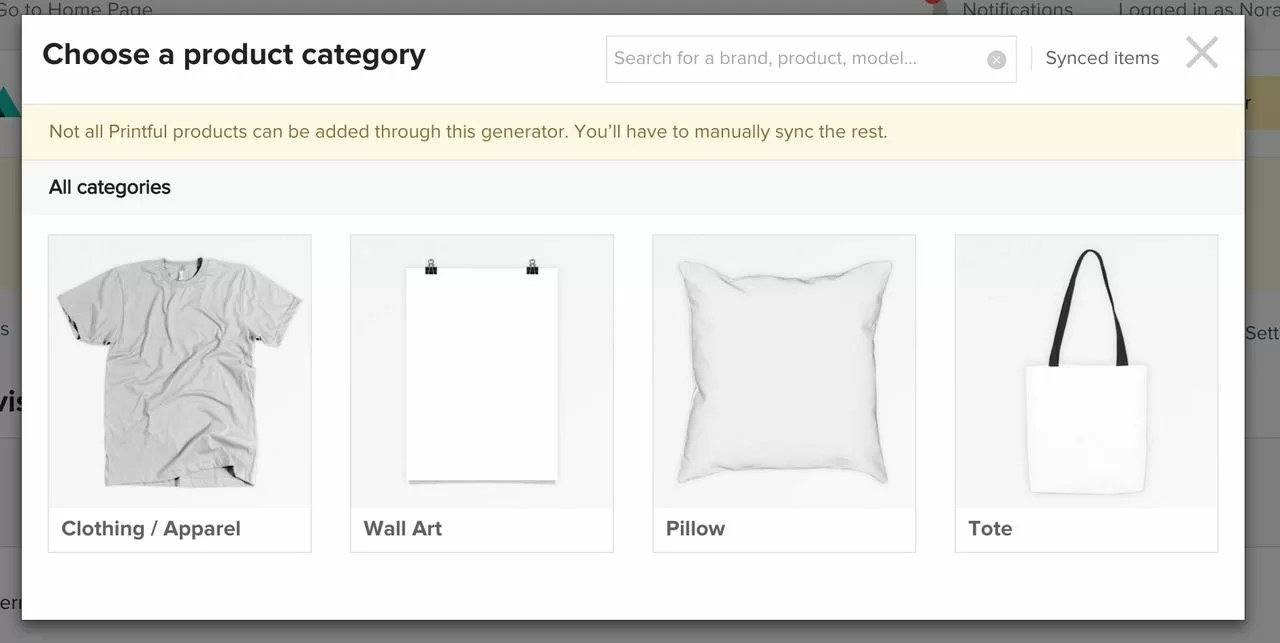
Printful’s mockup generator provides templates for each product type. Upload your designs, position them correctly, and preview how they’ll appear on finished items. The platform supports various file formats, including PNG, JPG, and PDF, with a recommended resolution of 300 DPI for optimal print quality.
Consider these design best practices:
- Create different size variations to accommodate various placement options (chest prints, all-over prints, etc.)
- Use high-contrast designs that work well on both light and dark garment colors.
- Test your designs on multiple product types to maximize catalog variety
- Keep text readable by maintaining minimum font sizes appropriate for the product
Pushing Products to Shopify
After finalizing your designs, select “Submit to Store” within Printful. Choose your Shopify store from the dropdown menu and configure product details:
The system automatically generates product titles, descriptions, and variant options based on your selections. You can customize these before publishing or edit them directly in Shopify afterward.
Set your retail prices by adding markup to Printful’s base costs. Most sellers aim for 2-3x markup to cover marketing expenses, platform fees, and profit margins. For example, if a t-shirt costs $12.95 from Printful, pricing it at $29.99 provides healthy margins.
Managing Your Shopify Product Listings
Products appear in your Shopify admin immediately after pushing from Printful. Navigate to Products > All Products to view and modify listings. Common optimizations include:
- Enhanced descriptions: Expand product descriptions with size guides, care instructions, and selling points
- SEO optimization: Add relevant keywords to titles, descriptions, and meta fields for better search visibility
- Collection organization: Group products into logical collections for easier customer navigation
- Additional images: Supplement Printful mockups with lifestyle photos or alternate angles
Handling Product Updates
When you modify designs in Printful, you can update existing Shopify listings or create new products. The “Update Product” option maintains your product URLs, reviews, and existing sales data while replacing images and available variants.
This approach works well for seasonal design updates or correcting errors without disrupting your store’s structure. Let’s explore how order fulfillment operates once customers start purchasing.
Understanding the Order Fulfillment Process
The automated fulfillment workflow distinguishes print-on-demand from traditional e-commerce. Here’s what happens from purchase to delivery:
Order Reception and Processing
When customers complete checkout in your Shopify store, payment processing occurs first. Once payment is confirmed, the order details are transmitted to Printful automatically within 5-10 minutes.
Printful validates the order information, including shipping address, product selection, and any customization requirements. If issues arise (invalid addresses, discontinued products), Printful flags the order for manual review and notifies you via email.
Production Timeline
Standard production times vary by product category:
- Apparel: 2-5 business days
- Accessories: 2-4 business days
- Home & Living: 2-7 business days
- Custom packaging: Add 1-2 additional days
These timeframes begin after order confirmation, not including shipping time. During peak seasons (November-December), production may extend by 1-2 days due to higher volume.
Shipping and Delivery
After production completes, items ship using the method selected during checkout. Printful offers multiple shipping options:
- Standard shipping: 5-10 business days (most economical)
- Express shipping: 2-5 business days (moderate cost)
- Priority shipping: 1-3 business days (premium pricing)
Tracking information uploads to Shopify automatically when items ship. Shopify sends tracking emails to customers using your store’s branding and notification templates.
Handling Returns and Issues
Quality issues occur occasionally despite Printful’s quality control processes. When customers report problems, Printful’s support team handles reprints or refunds according to their problem resolution policy.
For order issues, contact Printful support directly through your dashboard. They typically respond within 24 hours and resolve most concerns quickly. Keep customers informed throughout the resolution process to maintain satisfaction.
The seamless fulfillment process lets you focus on marketing and growth rather than logistics. Next, we’ll examine how to price products profitably.
Pricing Strategies and Profit Margins
Successful print-on-demand businesses balance competitive pricing with healthy margins. Understanding all costs helps you price products strategically.
Breaking Down Your Costs
Every sale involves multiple expense categories:
- Product Costs: Printful charges base rates for each product and print type. A basic unisex t-shirt starts around $12.95, while premium products like hoodies run $30-40. Check current pricing in Printful’s product catalog as rates adjust periodically.
- Shipping Costs: Printful passes shipping fees directly to customers or you can absorb them into product prices. Domestic US shipping typically ranges from $4-8 depending on item weight and speed.
- Platform Fees: Shopify charges transaction fees (0.5-2% depending on your plan) plus credit card processing fees (2.4-2.9% + 30¢ per transaction). Plan your margins to accommodate these costs.
- Marketing Expenses: Customer acquisition costs vary widely but typically range from 15-30% of revenue for paid advertising campaigns. Organic traffic reduces this percentage significantly.
Calculating Profitable Retail Prices
A simple formula helps establish baseline pricing:
Retail Price = (Product Cost + Shipping + Marketing Cost) ÷ (1 – Desired Profit Margin – Platform Fees)
For example, a t-shirt with $12.95 product cost, $5 shipping, $6 estimated marketing cost, 2.5% platform fees, and 20% desired profit margin:
($12.95 + $5 + $6) ÷ (1 – 0.20 – 0.025) = $30.90
Round to $29.99 or $31.99 based on psychological pricing principles. Most print-on-demand stores price basic t-shirts between $24.99 and 34.99, depending on design uniqueness and target audience.
Competitive Price Research
Before finalizing prices, research competitors selling similar products in your niche. Visit successful print-on-demand stores and note their pricing structures. Look for patterns across multiple sellers rather than matching the lowest price you find.
Premium pricing strategies work when you differentiate through superior designs, niche targeting, or strong brand identity. Budget pricing requires higher volume to achieve similar profit levels.
Dynamic Pricing Tactics
Consider these approaches to optimize revenue:
- Tiered pricing: Charge more for premium products while maintaining competitive prices on entry-level items
- Bundle discounts: Encourage larger purchases by offering small discounts on multiple items
- Seasonal adjustments: Increase prices during peak demand periods when customers expect holiday-related markups
- Limited editions: Create scarcity by pricing special designs higher and marketing them as exclusive
Regularly review your pricing based on actual cost data and conversion rates. Small adjustments can significantly impact profitability over time. With pricing established, let’s address common integration challenges.
Troubleshooting Common Printful Shopify Integration Issues
Even with proper setup, technical issues occasionally arise. Here are the most frequent problems and their solutions:
Products Not Syncing to Shopify
If products fail to appear in your Shopify store after pushing from Printful, check these potential causes:
- Permission Issues: Verify that Printful still has necessary permissions in your Shopify app settings. Navigate to Settings > Apps and Sales Channels > Printful and confirm all permissions remain active.
- API Connection: Disconnect and reconnect your store in Printful’s dashboard. Go to Stores > Settings > Disconnect Store, then reconnect following the integration steps again.
- Product Status: Ensure products are set to “Active” in Printful before pushing. Draft products won’t sync to Shopify until activated.
Orders Not Transmitting to Printful
When orders remain in Shopify without transferring to Printful:
- Order Status: Printful typically fulfills orders marked as “Paid” in Shopify. Check your integration settings to confirm the correct order status trigger.
- Payment Gateway: Some payment gateways delay order confirmation. Verify that payments are fully processed before expecting the Printful transmission.
- Manual Hold: Check if orders are on hold in Printful’s dashboard. Address validation failures or product availability issues often trigger manual holds.
Inventory Sync Problems
Incorrect inventory levels can lead to overselling or missed sales opportunities:
- Sync Frequency: Printful updates Shopify inventory hourly. Recent stock changes may take up to 60 minutes to reflect in your store.
- Multiple Integrations: If you’ve connected your Shopify store to multiple print-on-demand providers, inventory conflicts may occur. Ensure each product variant connects to only one fulfillment service.
Tracking Information Not Updating
Customers expect tracking details promptly after shipment:
- Notification Settings: Confirm that Shopify’s notification emails are enabled and configured correctly in Settings > Notifications.
- Carrier Delays: Tracking numbers generate when items ship, but carriers may take 12-24 hours to update tracking information in their systems.
- Custom Tracking Fields: If using custom order management apps, ensure they’re compatible with Printful’s tracking updates.
Image Quality Issues
Poor mockup quality or distorted product images impact conversion rates:
- Design Resolution: Upload designs at 300 DPI minimum for sharp printing results. Low-resolution files appear pixelated on finished products.
- File Format: Use PNG files with transparent backgrounds for best results, especially on products with varying background colors.
- Mockup Generator Settings: Select high-quality mockup output in Printful’s generator settings. Standard quality is often sufficient for web display, but high quality provides sharper images.
Most integration issues resolve quickly with systematic troubleshooting. For persistent problems, contact Printful’s support team or consult the Shopify integration documentation for additional guidance.
Advanced Optimization Strategies
Once your basic Printful Shopify integration runs smoothly, these advanced tactics help scale operations and improve profitability:
Automating Workflows With Third-Party Apps
Integration tools like Mesa, Zapier, or native Shopify automation features enhance functionality beyond standard Printful-Shopify connectivity. Popular automation scenarios include:
- Customer Segmentation: Automatically tag customers based on purchase behavior for targeted marketing campaigns. When someone orders print-on-demand products, tag them as “POD Customer” for future personalized outreach.
- Order Notifications: Send custom Slack or email alerts when high-value orders arrive, products encounter fulfillment issues, or shipping delays occur.
- Inventory Alerts: Create notifications when popular products run low in Printful’s inventory, allowing proactive communication with customers about potential delays.
- Review Requests: Automatically email review requests 2-3 weeks after delivery when customers have received and used products.
Expanding Product Selection
Successful print-on-demand stores typically offer 50-200 products across multiple categories. Strategic expansion increases average order value and customer satisfaction:
- Category Diversification: If you start with apparel, add complementary products like phone cases, tote bags, or stickers that feature similar designs.
- Seasonal Products: Introduce holiday-specific items 6-8 weeks before major holidays (Christmas ornaments, summer tanks, back-to-school items).
- Bundle Creation: Group related products into kits or collections that customers can purchase together at slight discounts.
Optimizing Product Pages
Converting visitors into customers requires compelling product pages beyond standard Printful mockups:
- Lifestyle Photography: Supplement Printful’s mockups with photos showing products in real-world contexts. Hire photographers or use stock photos that match your brand aesthetic.
- Detailed Size Guides: Create comprehensive size charts with measurements and fit recommendations to reduce return rates.
- Social Proof: Display customer reviews prominently and encourage photo reviews showing real customers wearing or using products.
- Video Content: Add short videos showing product details, fit demonstrations, or 360-degree views to increase engagement and conversion.
Leveraging Printful’s Warehousing Services
For high-volume products that sell consistently, Printful’s warehousing and fulfillment services offer faster shipping without print-on-demand production time. You purchase inventory in bulk at discounted rates, and Printful stores and ships items as orders arrive.
This hybrid approach works well for bestsellers where predictable demand justifies inventory investment while maintaining print-on-demand for new or seasonal designs.
Understanding how to scale your Shopify store infrastructure becomes crucial as order volume increases. Consider platform upgrades when you’re consistently processing 300+ orders monthly.
Comparing Printful to Alternative Print-on-Demand Services
While this guide focuses on the Printful Shopify integration guide, understanding alternatives helps you make informed decisions:
Printful vs. Printify
Printify connects you with multiple print providers rather than handling production in-house. This often results in lower base costs but less consistent quality control. Printful maintains tighter quality standards through centralized production.
- Choose Printful when: Quality consistency and brand reputation are priorities, or you need reliable fulfillment for premium products.
- Choose Printify when: Price sensitivity is paramount, and you’re comfortable managing multiple supplier relationships.
Printful vs. SPOD
Scalable Press On Demand (SPOD) specializes in large orders and offers bulk pricing tiers. Their product selection is smaller than Printful’s but focuses on core apparel items.
- Choose Printful when: You want extensive product variety or serve multiple niches from one catalog.
- Choose SPOD when: You primarily sell apparel in bulk quantities to groups or organizations.
Printful vs. Gooten
Gooten operates similarly to Printify, connecting sellers with multiple fulfillment partners. They offer competitive pricing but quality varies between production facilities.
- Choose Printful when: Consistent quality and streamlined management matter more than rock-bottom pricing.
- Choose Gooten when: You want access to unique products not available through other providers.
For comprehensive Shopify app comparisons, review trusted sources that analyze features, pricing, and real user experiences across multiple print-on-demand platforms.
Scaling Your Print-on-Demand Business
Growth requires strategic planning beyond basic integration management. Consider these factors as your business expands:
Managing Increased Order Volume
Higher sales bring logistical complexity. Printful handles production scaling automatically, but your operational focus shifts to customer service, marketing optimization, and financial management.
- Customer Service: Response times impact satisfaction scores and repeat purchase rates. Implement help desk software or hire support staff when inquiries exceed 10-15 daily.
- Quality Monitoring: Regularly order your own products to verify print quality and packaging standards remain consistent as Printful’s volume increases.
- Cash Flow Management: Print-on-demand’s pay-as-you-sell model helps cash flow, but platform fees and marketing costs require careful monitoring. Use accounting software designed for e-commerce businesses.
Marketing Strategies That Drive Sales
Successful print-on-demand stores combine multiple traffic sources:
- Paid Advertising: Facebook and Instagram ads work well for visually appealing products. Start with $10-20 daily budgets and scale based on return on ad spend (ROAS). Target ROAS of 3:1 minimum for sustainable growth.
- Content Marketing: Create blog content, Pinterest pins, or TikTok videos showcasing products and appealing to your target audience’s interests and values.
- Email Marketing: Build email lists through website popups or lead magnets. Send 2-4 emails monthly featuring new products, promotions, or content that resonates with subscribers.
- Influencer Partnerships: Collaborate with micro-influencers in your niche who have 5,000-50,000 engaged followers. Provide free products in exchange for authentic posts or reviews.
Technical Infrastructure Considerations
As sales scale, review your Shopify setup to ensure optimal performance:
- Theme Optimization: Use speed-optimized themes that load quickly on mobile devices. Page speed directly impacts conversion rates and SEO rankings.
- App Management: Regularly audit installed apps and remove those no longer essential. Excessive apps slow site performance and create maintenance headaches.
- Payment Gateway: Compare transaction fees across payment providers. Shopify Payments typically offers the best rates, but regional alternatives may be more cost-effective in specific markets.
Many growing e-commerce businesses eventually require custom Shopify development to implement unique features or integrations that off-the-shelf apps don’t support.
Key Takeaways
- The Shopify Printful integration automates product fulfillment, eliminating inventory management and upfront costs while maintaining quality control through established production standards.
- Setup requires minimal technical knowledge and typically completes in 15-30 minutes through a straightforward API connection and permission authorization.
- Profitable pricing strategies balance product costs, platform fees, marketing expenses, and desired margins—aim for 2-3x markup on base costs for sustainable growth.
- Advanced optimization through workflow automation, product expansion, and enhanced listings drives higher conversion rates and average order values as your business scales.
- Regular quality monitoring and customer service excellence remain essential despite automated fulfillment, ensuring brand reputation and customer satisfaction.
Conclusion
The Shopify Printful integration provides the foundation for a scalable print-on-demand business with minimal startup risk. By automating product fulfillment while you maintain control over design, branding, and customer relationships, this integration model lets you focus on growth rather than logistics.
Success requires more than technical setup—it demands strategic pricing, compelling product pages, consistent quality monitoring, and effective marketing. Start with the fundamentals outlined in this guide, test your approach with real customers, and scale based on data-driven insights.
Ready to optimize your e-commerce infrastructure for growth? Our team specializes in Shopify integration solutions that streamline operations and improve profitability. Contact us to discuss how we can support your print-on-demand business goals.
Frequently Asked Questions About Shopify Printful Integration
How Long Does Printful Shopify Integration Take to Set Up?
The basic connection process takes 15-30 minutes for most users. Creating your first products and completing a test order typically requires an additional 1-2 hours of setup time.
Can I Use Printful With Shopify Free Trial?
Yes, Printful works with Shopify’s free trial period. You can connect your trial store, create products, and test the full integration before committing to a paid Shopify plan.
Does Printful Charge Monthly Fees for Shopify Integration?
No, Printful doesn’t charge subscription or integration fees. You only pay product costs and shipping when customers place orders. Shopify charges monthly platform fees separately.
How Do I Handle Returns With Printful Shopify Integration?
Returns follow Printful’s problem resolution policy. If products have quality issues, Printful handles reprints or refunds. For customer preference returns, you set your store’s return policy and handle the process independently.
Can I Connect Multiple Shopify Stores to One Printful Account?
Yes, Printful supports multiple store connections under a single account. This works well if you operate separate stores for different niches or geographic markets.
What Happens to Orders if Printful Runs Out of Stock?
Printful automatically updates product availability in your Shopify store. If blank items are temporarily unavailable, customers won’t be able to purchase until stock replenishes.
How Do I Track Printful Orders Within Shopify?
Order details sync bidirectionally between platforms. View order status in either your Shopify admin or Printful dashboard. Tracking numbers appear in Shopify automatically when items ship.
Can I Edit Product Details After Pushing to Shopify?
Yes, modify product information directly in Shopify admin without affecting the Printful connection. Changes to designs or variants must be updated through Printful’s dashboard.
Does Shopify Printful Integration Work in All Countries?
Printful ships worldwide from fulfillment centers in North America and Europe. Shopify operates globally. However, check Printful’s country-specific restrictions for certain products or destinations.
How Do I Disconnect Printful From Shopify if Needed?
Navigate to your Printful dashboard, select your store, access settings, and choose “Disconnect Store.” This removes the integration while preserving your Shopify product listings.