Launching an online store requires the right platform, but committing to monthly fees before testing the waters feels risky. Shopify offers multiple trial periods ranging from 3 days to 90 days, giving you flexibility to explore features, build your store, and evaluate whether the platform matches your business needs without immediate financial pressure.
This guide breaks down every Shopify free trial option available in 2026, explains what you can accomplish during each timeframe, and shows you how to maximize your trial period to make an informed platform decision.
Summary
- Trial Duration Options: Shopify provides trials ranging from 3 days to 90 days, depending on promotional offers and plan selection
- What You Get: Full access to store building tools, themes, apps, and analytics during your trial period
- Trial Extension Strategies: How to qualify for longer trial periods, including the 90-day option through specific promotional channels
- Conversion Timeline: Realistic milestones for what you can build and test within 3, 14, 30, 60, or 90 days
- Cost Implications: What happens after your trial ends and how to transition smoothly to a paid plan
Understanding Shopify Free Trial Options in 2026
Shopify’s trial structure has evolved to accommodate different merchant needs and entry points. The platform no longer offers a single standardized trial but instead provides multiple pathways based on how you discover and sign up for the service.
The Standard 3-Day Shopify Free Trial
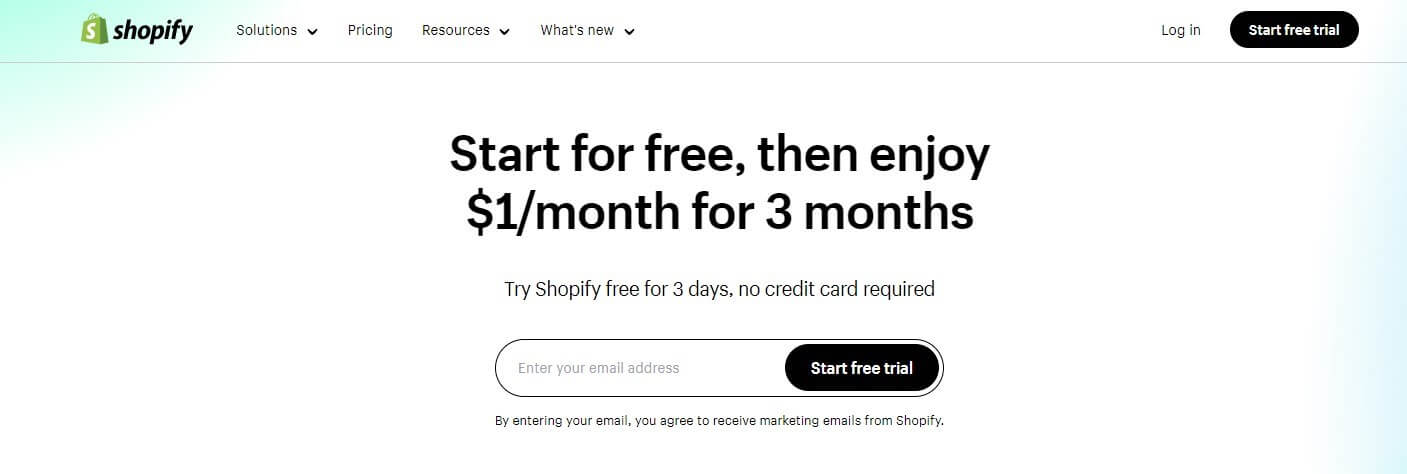
The basic Shopify free trial runs for 3 days when you sign up directly through the main Shopify website. This shortened period reflects Shopify’s shift toward faster merchant onboarding while still providing enough time to explore core features.
During these 3 days, you access the complete Shopify admin panel, can install themes, add products, and configure basic store settings. The limitation is time, not features.
Extended Trial Periods: 14, 30, 60, and 90 Days
Longer trial options exist through promotional partnerships, affiliate links, and seasonal campaigns. The Shopify 90 day trial represents the maximum duration available and typically requires signing up through partner channels or during special promotional windows.
A Shopify 3 month free trial (equivalent to the 90-day option) gives you substantially more time to build inventory, test marketing channels, and generate actual sales before committing to subscription fees.
Now that we’ve covered the available trial lengths, let’s examine what you can realistically accomplish within each timeframe.
What You Can Build During Each Trial Period
Understanding how to allocate your trial time determines whether you’ll make an informed platform decision or feel rushed into a commitment.
3-Day Trial Capabilities
The standard trial period works best for experienced merchants migrating from another platform or those with existing product catalogs ready to import.
Realistic Goals:
- Install and customize one theme
- Upload 20-50 products with basic descriptions
- Configure payment and shipping settings
- Test checkout flow from customer perspective
You won’t have time for extensive design customization or comprehensive app testing. Focus on evaluating whether Shopify’s interface feels intuitive for your workflow.
14-30 Day Trial Outcomes
A two-week to one-month window allows for more thorough platform evaluation. You can implement marketing integrations, test multiple themes, and potentially soft-launch to collect early customer feedback.
Achievable Milestones:
- Complete store design with brand customization
- Upload full product catalog with optimized descriptions
- Integrate essential apps for email marketing, inventory, and analytics
- Run test ad campaigns to evaluate conversion tracking
- Process 10-25 test orders to understand fulfillment workflow
This timeframe suits merchants building from scratch who need to learn the platform while constructing their store.
60-90 Day Trial Advantages
The Shopify 3 month trial or 60-day option transforms your trial into a genuine business incubation period. You have enough runway to launch publicly, gather real customer data, and assess whether Shopify supports your growth trajectory.
Extended Trial Possibilities:
- Full public launch with marketing campaigns
- Test seasonal product releases or flash sales
- Evaluate customer service workflows under real conditions
- Compare multiple app combinations for optimization
- Generate actual revenue to offset subscription costs
A 90-day period also lets you experience Shopify through different business cycles, whether that’s weekly sales patterns or monthly inventory restocking needs.
| Trial Length | Best For | Key Limitation | Primary Goal |
| 3 Days | Platform migrants with ready inventory | Time pressure limits deep exploration | Quick functionality check |
| 14-30 Days | New merchants building from scratch | Insufficient for full market testing | Complete store setup |
| 60 Days | Businesses testing new sales channels | May not cover seasonal variations | Soft launch with initial sales |
| 90 Days | Full business validation before commitment | Requires specific sign-up channels | Revenue generation and data collection |
Let’s explore how to access these extended trial periods.
How to Get the Shopify 90 Day Trial
The Shopify 3 month free trial isn’t advertised prominently on the main website because it’s distributed through partner networks and promotional campaigns.
Partner and Affiliate Channels
Many Shopify partners and affiliates offer extended trial codes as signup incentives. These partnerships benefit all parties: you get more evaluation time, the partner earns commission on conversions, and Shopify acquires customers through trusted referral sources.
Check educational platforms offering e-commerce courses, YouTube creators in the Shopify ecosystem, or business development organizations that partner with Shopify for member benefits.
Seasonal Promotional Campaigns
Shopify occasionally runs promotional campaigns offering extended trials during peak retail planning seasons. Black Friday preparation (September-October) and New Year business planning (January-February) represent prime windows for these offers.
Subscribe to Shopify’s newsletter and follow their official social channels to catch these limited-time promotions when they launch.
Developer and Agency Programs
If you’re working with a Shopify developer or agency partner, they may have access to extended trial codes for their clients. This approach makes sense when you’re investing in professional store setup and want adequate time to collaborate on design and functionality.
Understanding the Shopify store development costs upfront helps you budget for both professional services and your eventual platform subscription.
Maximizing Your Shopify Free Plan Period
Regardless of which trial length you secure, strategic planning ensures you extract maximum value from your evaluation window.
Week One: Foundation Building
Your first week should focus on technical setup rather than aesthetic perfection. Register your domain, configure tax settings based on your jurisdiction, and establish your product taxonomy.
Install Shopify’s mobile app to manage your store on the go. Many merchants find they can handle order processing, customer messages, and inventory updates more efficiently through mobile during their trial period.
Week Two: Content and Design
With foundations established, shift toward customer-facing elements. Write compelling product descriptions optimized for search intent, capture or source high-quality product images, and configure your theme to reflect brand identity.
Test your store on multiple devices and browsers. Mobile commerce represents over 70% of e-commerce traffic, making mobile optimization non-negotiable rather than optional.
Week Three: Integration and Testing
Add essential apps for email marketing, customer reviews, abandoned cart recovery, and analytics enhancement. Each app should solve a specific business problem rather than adding features for their own sake.
Process test transactions using Shopify’s test payment gateway to understand the complete customer journey from product discovery through post-purchase communication.
Week Four and Beyond: Real-World Validation
If you have a 30-day or longer trial, use the final weeks for actual market testing. Drive traffic through organic social media, paid ads, or email outreach to existing contacts.
Real customer interactions reveal friction points invisible during internal testing. You’ll discover whether your shipping rates make sense, if your product descriptions answer actual customer questions, and whether your checkout process creates abandonment.
Merchants on extended trials should compare Shopify plans during this phase to determine which subscription tier matches their feature requirements and transaction volume.
Comparing Trial Features Across Shopify Plans
Your trial gives you access to features from all Shopify plans, but understanding eventual plan limitations helps you test relevant functionality.
Core Features Available in All Trials
Every Shopify free trial includes unlimited products, 24/7 support access, abandoned cart recovery, discount code creation, and manual order processing. These foundational features let you evaluate whether Shopify’s core platform meets your operational needs.
You can also test third-party apps during your trial, though many apps offer their own trial periods that may not align with your Shopify trial duration.
Advanced Features to Test During Extended Trials
If you’re evaluating features like advanced report building, third-party calculated shipping rates, or international selling capabilities, you’ll need time to implement and test these scenarios properly.
A 3-day trial won’t provide adequate exposure to features like Shopify Flow automation or detailed customer segmentation. Extended trials become essential when your business model depends on these advanced capabilities.
| Feature Category | Available in All Trials | Requires Testing Time | Plan Dependency |
| Store setup | Yes | 1-2 days | All plans |
| Basic selling | Yes | 3-5 days | All plans |
| App integrations | Yes | 1-2 weeks | Varies by app |
| Advanced reporting | Yes | 2-3 weeks of sales data | Shopify plan and above |
| International selling | Yes | 2-4 weeks for validation | All plans with multi-currency apps |
Understanding Shopify app development possibilities helps you evaluate whether custom functionality requires professional development or exists through existing marketplace apps.
What Happens When Your Shopify Free Trial Ends
Trial expiration doesn’t mean immediate store deletion, but understanding the transition process prevents last-minute panic.
Grace Period and Store Preservation
When your trial expires, Shopify freezes your store rather than deleting it. Your admin access remains intact, allowing you to view your setup, but customers cannot access your storefront or complete purchases.
This pause state continues indefinitely, giving you time to decide whether to activate a paid plan. Your store configuration, product data, and customer information remain preserved.
Reactivation and Plan Selection
To reactivate your store, select a Shopify plan and enter payment information. Your store becomes immediately accessible to customers once payment processes successfully.
Many merchants wonder about the Shopify free plan as a permanent solution. Shopify doesn’t offer a free forever plan because their business model centers on transaction fees and subscription revenue rather than freemium tiers.
Data Export Options
If you decide Shopify isn’t the right fit, export your product catalog, customer list, and order history before your trial ends. Shopify provides CSV export functionality for all major data types, ensuring you don’t lose valuable information gathered during your trial.
Consider whether Shopify alternatives might better suit your specific business model before committing to your first paid subscription.
Common Mistakes During the Shopify Trial Period
Learning from others’ trial experiences helps you avoid time-wasting pitfalls during your evaluation window.
Over-Customization Instead of Validation
Many merchants spend entire trials perfecting visual design rather than testing core business functionality. Your trial should answer whether Shopify supports your business model, not whether you can create the perfect website aesthetic.
Design refinement can continue after launch. Business model validation cannot.
Ignoring Mobile Experience
Testing your store exclusively on desktop overlooks how most customers will actually interact with your shop. Check product pages, collections, navigation, and checkout on actual mobile devices throughout your trial.
Skipping App Evaluation
Shopify’s core platform provides foundational e-commerce features, but most businesses need additional apps for email marketing, customer reviews, SEO optimization, or inventory management. Identifying essential apps during your trial prevents post-launch functionality gaps.
Research whether you’ll need Shopify Plus features for enterprise-level requirements before committing to standard plans that may not scale with your business.
Trial Period Strategy by Business Type
Different business models require different trial approaches and timeframe needs.
Dropshipping and Print-on-Demand
Dropshipping and print-on-demand models benefit from extended trials because you need time to test supplier integrations, evaluate product quality, and understand fulfillment timelines.
Wholesale and B2B Selling
Wholesale operations require testing bulk pricing structures, custom catalogs for different customer segments, and potentially integration with existing ERP systems. The complexity demands 60-90 day evaluation periods.
Multi-Channel Retail
If you’re adding online sales to existing brick-and-mortar or marketplace operations, your trial should focus on integration capabilities. Test Shopify POS if you have physical locations, or evaluate marketplace sync apps for Amazon and eBay integration.
Subscription and Membership Models
Recurring revenue businesses need to evaluate subscription app options, payment gateway support for recurring billing, and customer portal functionality. This assessment benefits from extended trial periods to test actual billing cycles.
| Business Model | Recommended Trial Length | Primary Testing Focus | Success Metric |
| Dropshipping | 60-90 days | Supplier reliability and shipping times | Order fulfillment satisfaction rate |
| B2B Wholesale | 90 days | Custom pricing and bulk ordering | Quote-to-order conversion |
| Multi-channel | 30-60 days | Inventory synchronization | Stock accuracy across channels |
| Subscriptions | 60-90 days | Recurring billing reliability | Successful renewal processing |
How To Sign Up For The Shopify Free Trial
Signing up for the Shopify Free Trial is a straightforward process. Here’s a step-by-step guide to get you started:
- Step 1: Visit the Shopify website
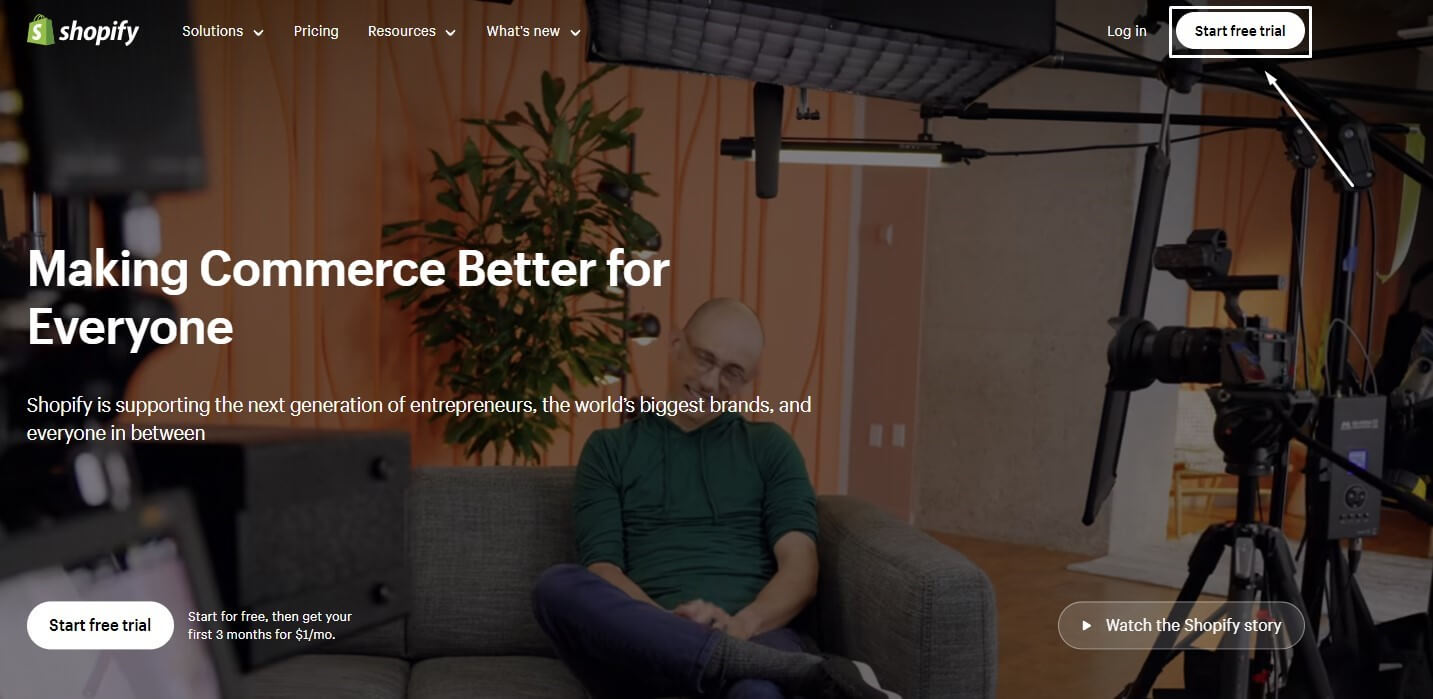
- Step 2: Look for the “Start free trial” button.
- Step 3: You will be asked to share details about your business, such as your business type, what you’re selling, and the channels you use for sales. However, if you prefer, you can skip these questions.
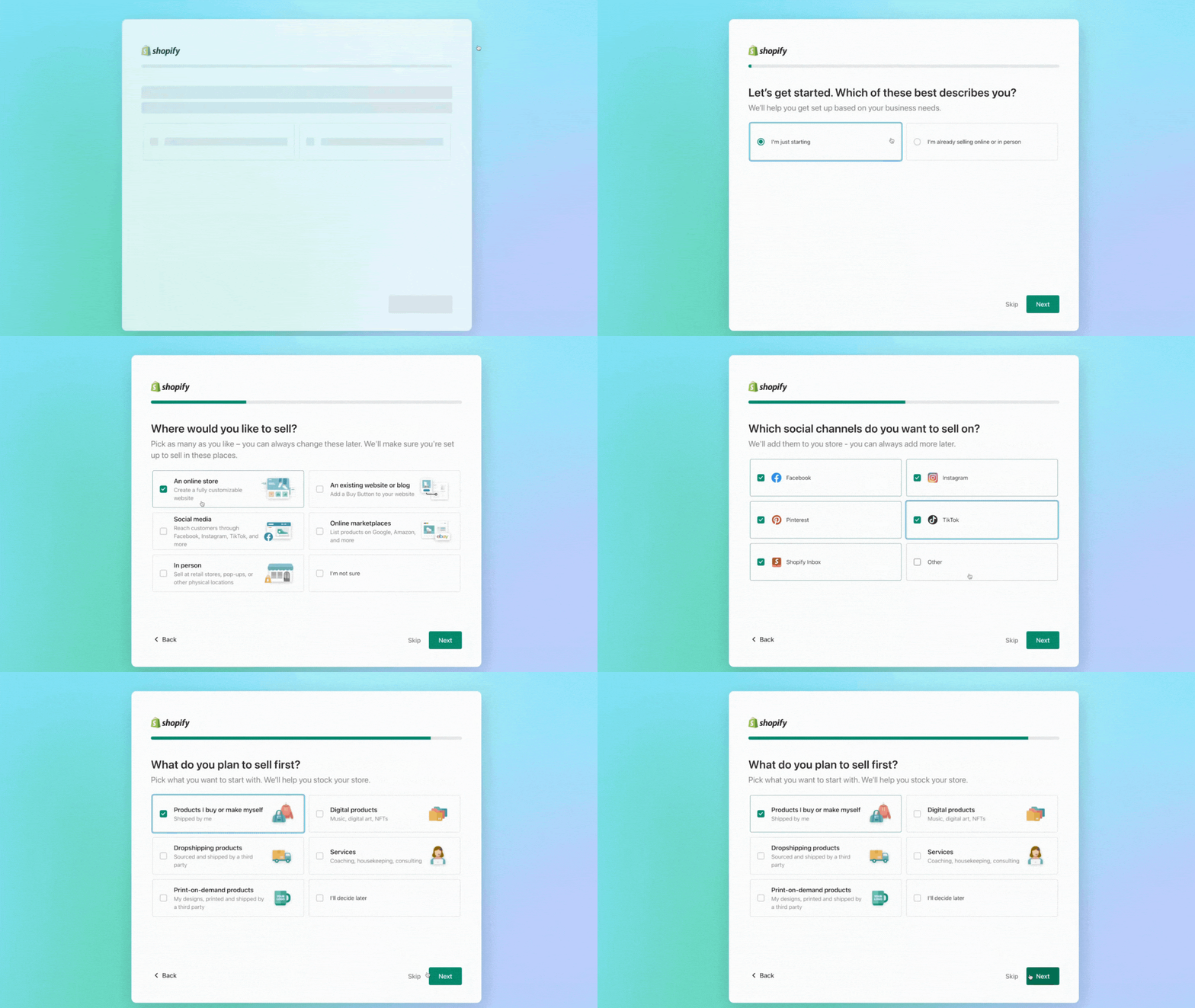
- Step 4: Select where your business will be located
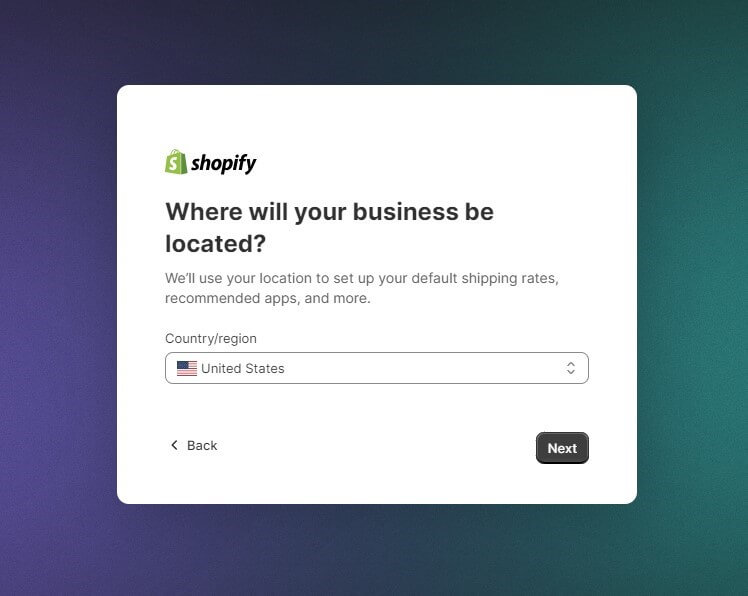
- Step 5: Create your Shopify account by entering your email address and password. Ensure it’s an address you can access, as you’ll receive important information about your account here.
- Step 6: Now, that your account is set up, you’re free to explore Shopify’s features. Remember, if you want to start selling, you’ll need to choose a paid plan after the trial ends.
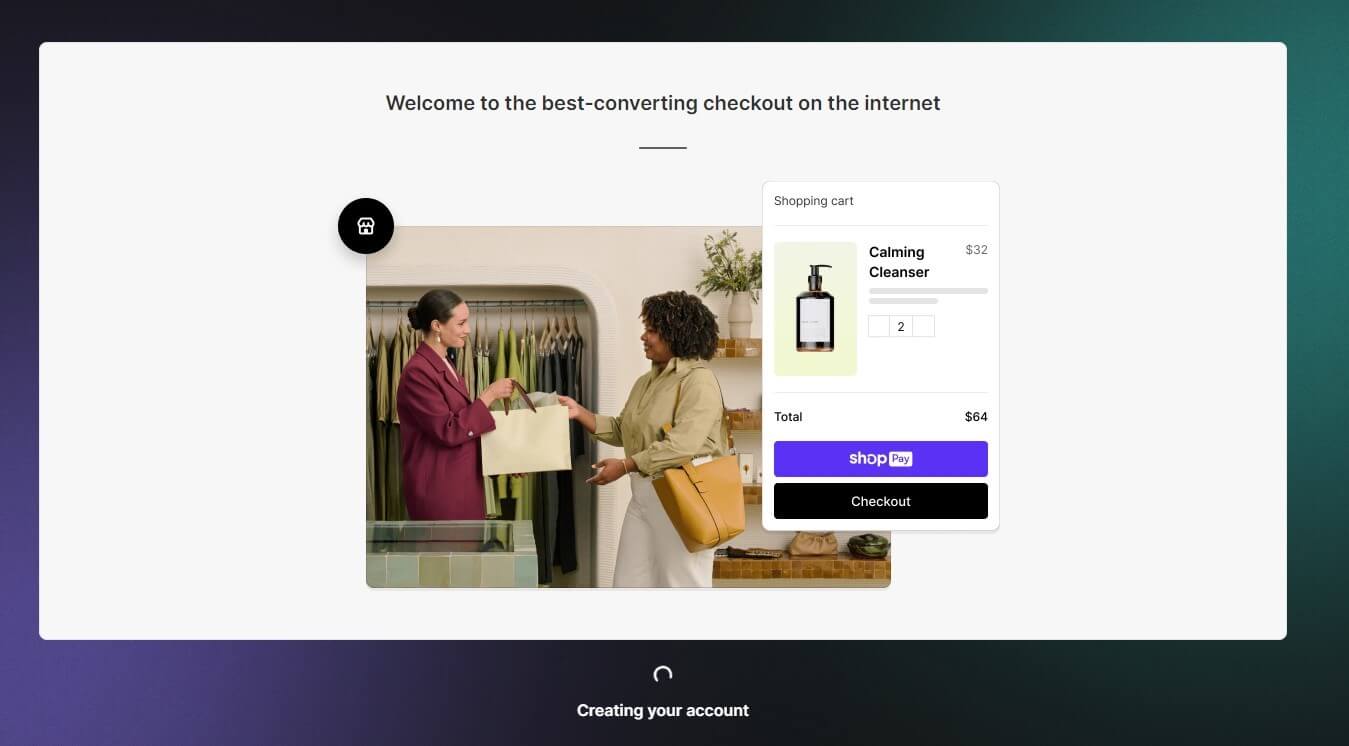
- Step 7: Be mindful of the length of your free trial so you can make the most of it.
Key Takeaways
- Shopify offers trial periods ranging from 3 to 90 days, with extended options available through partner channels and promotional campaigns rather than direct signup
- The Shopify 3 month free trial provides the most comprehensive evaluation window, allowing you to launch publicly, generate revenue, and assess platform fit under real business conditions
- Focus your trial on business validation rather than design perfection, testing core functionality, app integrations, and operational workflows that determine long-term platform suitability
- Your store remains accessible after trial expiration, giving you flexibility to activate a paid plan when ready without losing your setup work or data
- Match your trial length to your business complexity, with simple stores requiring only 3-14 days while B2B operations or subscription models benefit from 60-90 day evaluation periods
Conclusion
Choosing the right e-commerce platform determines your operational efficiency, customer experience quality, and long-term scaling potential. The Shopify free trial gives you risk-free access to test whether the platform aligns with your business requirements before financial commitment.
Whether you secure a 3-day quick evaluation or a Shopify 3 month trial for comprehensive validation, focus your time on testing real business scenarios rather than perfecting aesthetic details. Your trial should answer fundamental questions about workflow efficiency, feature completeness, and growth support that determine platform viability.
Ready to start your Shopify evaluation? Partner with a trusted Shopify development company to discuss which trial length matches your business needs and how to maximize your platform testing period.
FAQs
How Long Is Shopify Free Trial in 2026?
Shopify’s standard free trial is 3 days, but extended periods of 14, 30, 60, or 90 days are available through partner programs and promotional campaigns. The trial length you receive depends on your signup source rather than a single universal duration.
Can I Get a Shopify 90 Day Trial Directly From Shopify?
The 90-day trial is not available through direct Shopify signup but is distributed through affiliate partners, educational platforms, and seasonal promotional campaigns. Monitor Shopify partner channels and sign up during promotional periods to access extended trial offers.
Does Shopify Offer a Permanent Free Plan?
No, Shopify does not provide a permanent free plan option. After your trial expires, you must select a paid subscription to keep your store accessible to customers. However, your store data remains preserved indefinitely even without an active subscription.
What Happens to My Store After the Free Trial Ends?
Your store enters a paused state where you retain admin access but customers cannot visit or purchase from your storefront. All data, configurations, and content remain saved, and you can reactivate anytime by selecting a plan and adding payment information.
Can I Extend My Shopify Free Trial?
Shopify generally does not extend trials beyond the initially granted period. However, you can pause your store after trial expiration without data loss and reactivate when ready to commit to a paid plan.
Which Shopify Plan Should I Choose After My Trial?
Your plan selection depends on required features and monthly revenue volume. Basic Shopify suits most new stores, while Shopify and Advanced plans make sense for businesses needing advanced reporting, lower transaction fees, or third-party calculated shipping rates.
Do I Need a Credit Card for the Shopify Free Trial?
Yes, Shopify requires credit card information during trial signup, but you will not be charged until your trial period ends. You can cancel before the trial expires to avoid any charges.
Can I Test Shopify Apps During My Free Trial?
Yes, you can install and test apps from the Shopify App Store during your trial. Many apps offer their own free trials, though those trial periods may not align with your Shopify platform trial duration.
How Many Products Can I Add During the Shopify Trial?
There is no product limit during your Shopify free trial. You can add unlimited products, variants, and collections to fully test how the platform handles your complete catalog.
Will I Lose My Custom Domain After the Trial Ends?
No, domain registration is separate from your Shopify subscription. If you purchased a domain through Shopify or connected an existing domain, it remains under your control regardless of your store’s subscription status.