If you’re running an online store with BigCommerce, you may have noticed that their branding appears at the bottom of your website in the form of “Powered by BigCommerce.” While it’s a small branding element, you may want to remove it to give your site a more customized and professional look.
In this blog, we’ll explore how to remove Powered by BigCommerce from your theme and email templates without opting for any BigCommerce integration services.
Whether you’re a beginner or an experienced store owner, this guide will give you step-by-step instructions on how to achieve this simple but effective change to your online store.
- According to AcquireConvert, BigCommerce has become quite popular amongst small businesses which have around 1 to 9 employees.
- BigCommerce has over 150,000 different products and services to help you sell anything. As of now, the company has over 90,000 online stores and 600 employees in over 120 countries.
- ToolTester stated that 0.4% of websites, out of all websites on the internet, are built with BigCommerce.
Why Do You See Powered By BigCommerce
When you see “Powered by BigCommerce” on a website, it means that the site is hosted on the BigCommerce platform. It is a form of branding that BigCommerce uses to advertise the platform to potential users. It usually appears in new stores or stores that are developed after the BigCommerce migration process from other platforms.
While it may serve as a free promotion for BigCommerce, it can be seen as a distraction or a lack of professionalism by some online business owners. If you are one of them, you may want to consider learning how to remove Powered by BigCommerce branding from your website.
How To Remove Powered by BigComemrce In Themes
Follow the steps below to remove Powered by BigCommerce from your store.
Step Number 1: Log In To Your BigCommerce Dashboard
Simply fill in your credentials and log in to Bigcommerce Dashboard.

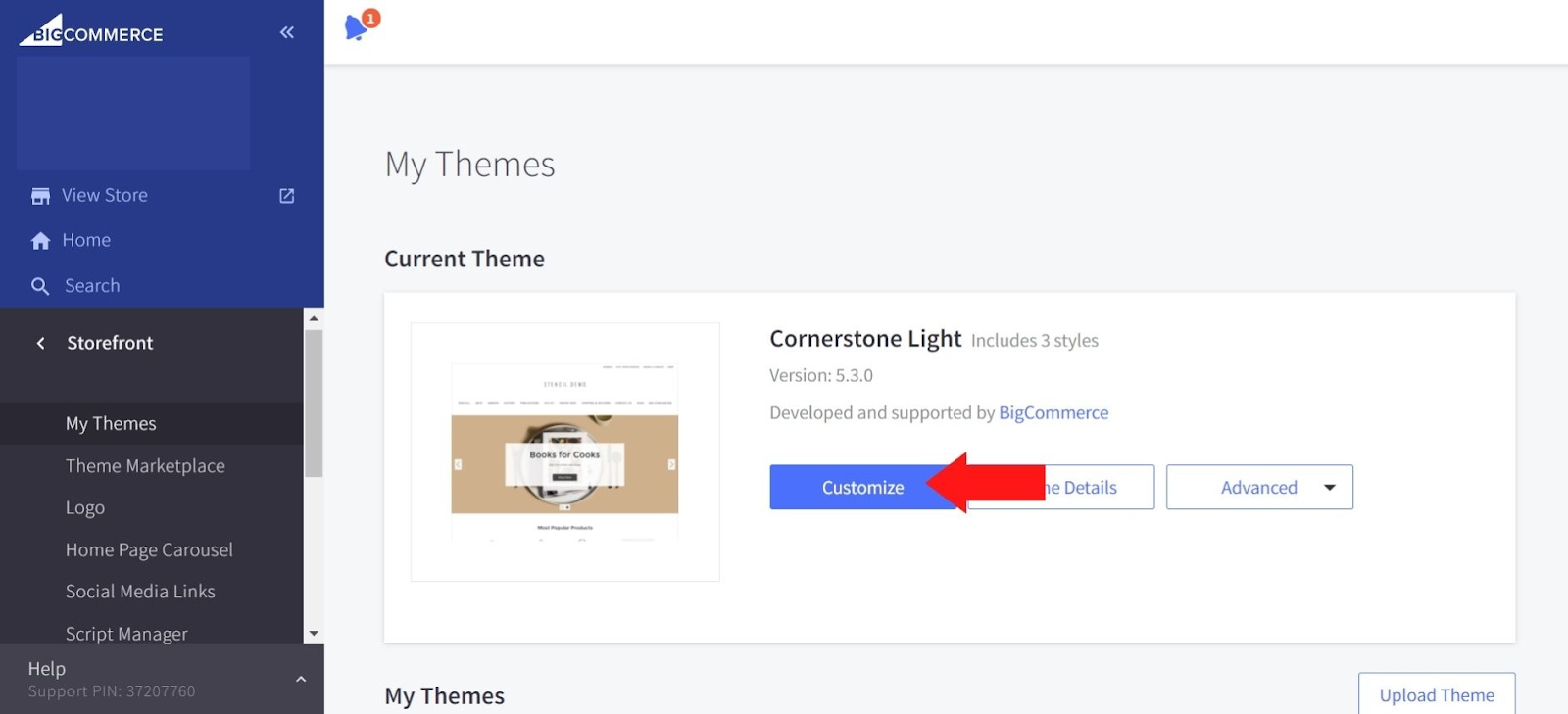
After that, head to “Storefront” and Click on “My Themes.”
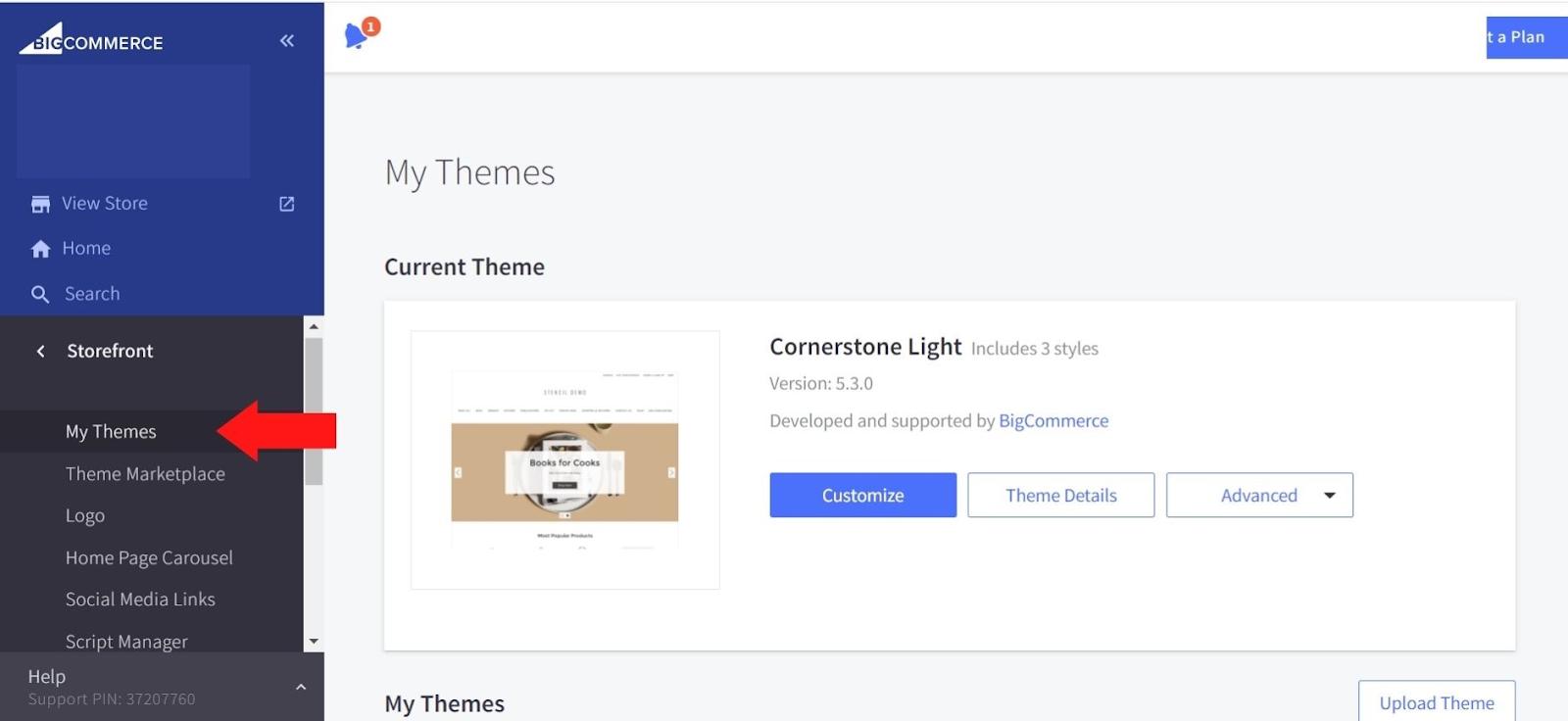
Step Number 2: Access the BigCommerce Page Builder
You will see three options in the “My Themes” section. Click on the “Customize” button to access the BigCommerce page builder and design options.
Step Number 3: Open the Theme Style Sidebar
Now since you are in the customized section, click on the Style icon, which will open the theme style sidebar.
Step Number 4: Edit Header And Footer
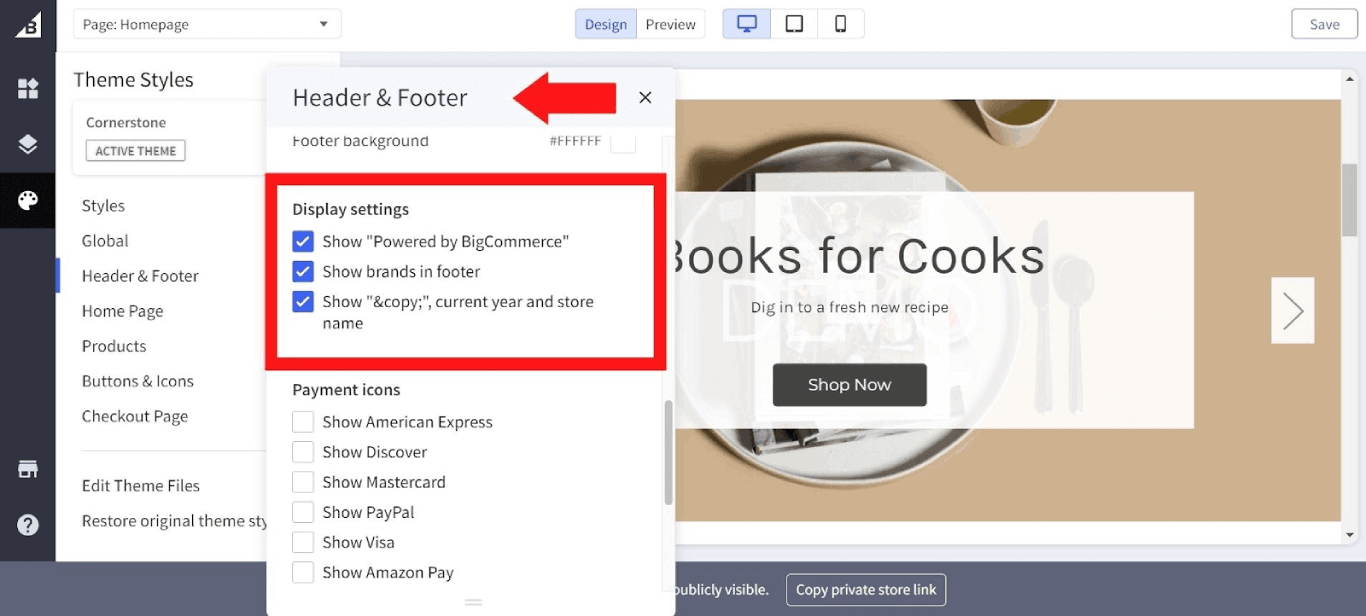
In the sidebar, click on the “header and footer” section to open a dialogue box.

Step Number 5: Remove Powered By Bigcommerce
Just uncheck “Powered by BigCommerce” to remove the branding from your website.
How To Remove Powered By BigCommerce On Your Email Templates
To remove the “Powered by BigCommerce” branding from your email templates in BigCommerce, follow these steps:
Step 1: Log in to your BigCommerce account.
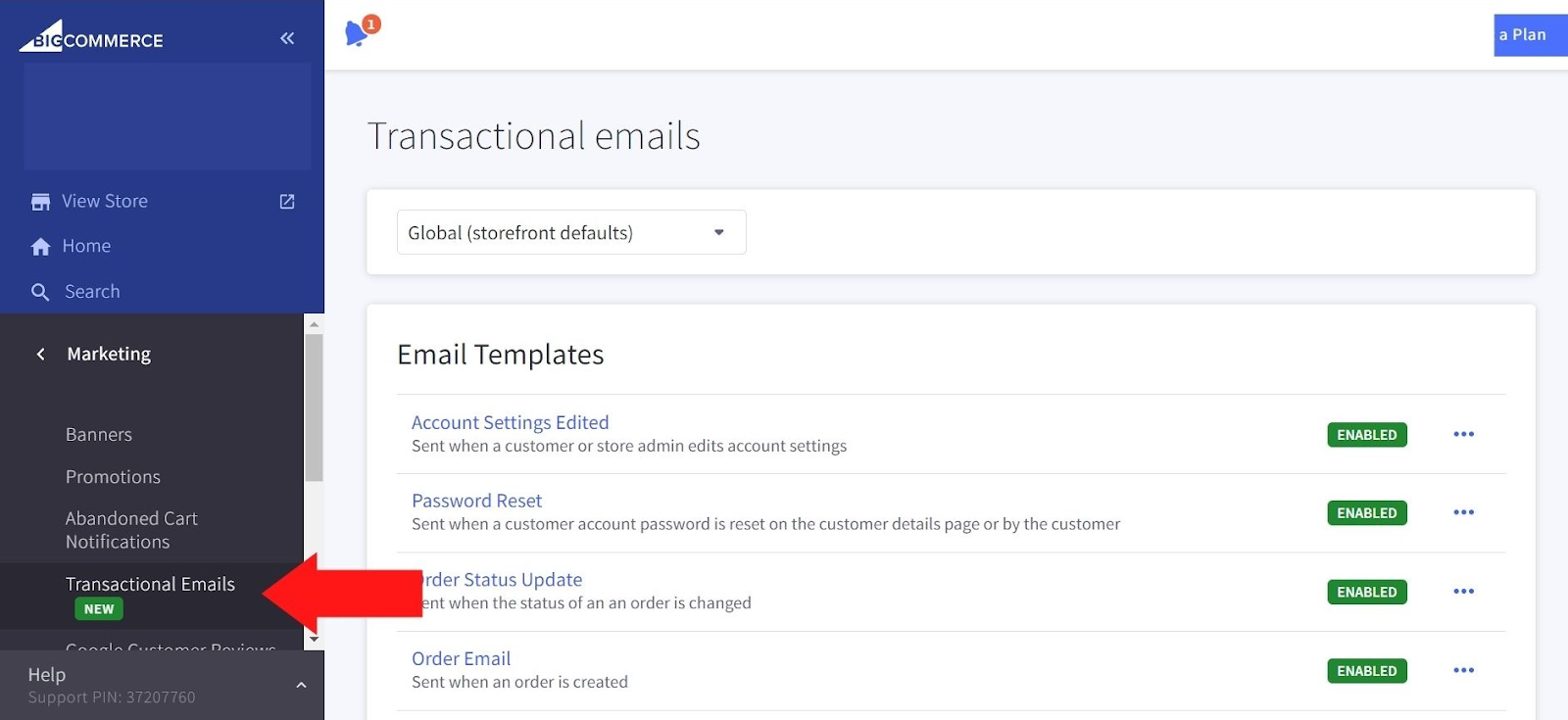
Step 2: Click on “Marketing” and then “Transactional Email”.
Step 3: Select the template you want to edit.
Step 4: Look for the code that adds the “Powered by BigCommerce” branding.
Step 5: Delete the code or comment it out.
Step 6: Preview the modified template to ensure the “Powered by BigCommerce” branding is removed.
Step 7: Save the changes.
Conclusion
Removing Powered by BigCommerce is necessary as it doesn’t give a professional look to the website. Customers may perceive that the website is developed using a free theme, and plugins. That’s why it’s recommended to remove it.
After reviewing our article, you must know how to remove Powered by BigCommerce from your website without any need to hire BigCommerce developers or opt for BigCommerce support and maintenance services.
Simply follow the methods above to remove the “Powered by Bigcommerce” from your store within a few minutes.
FAQs
Is It Against BigCommerce’s Terms Of Service To Remove The “Powered by BigCommerce” Branding From My Site?
No, it is a mere design element that can be removed by any store owner. Many BigCommerce website design providers remove it prior to the submission of the websites.
Is It Difficult To Remove The “Powered by BigCommerce” Branding From My Site?
No, removing the “Powered by BigCommerce” branding from your site is generally not difficult to do. The exact method may vary depending on your website’s theme and your level of technical expertise, but it can usually be achieved by editing your theme’s code or email templates.
Will Removing The “Powered by BigCommerce” Branding Affect My Website’s Performance Or Functionality?
Removing the “Powered by BigCommerce” branding will not affect your website’s performance or functionality in any way. It is simply a visual element that does not impact the functionality of your site.
What Happens If I Accidentally Remove A Critical Part Of My Theme’s Code While Trying To Remove The Branding?
If you accidentally remove a critical part of your theme’s code while trying to remove the “Powered by BigCommerce” branding, it can impact the functionality of your site. Be sure to make a backup of your theme before making any changes, and if you encounter any problems, contact BigCommerce app development for assistance.
Can I Remove The “Powered by BigCommerce” Branding From My Site If I Am Using A Free BigCommerce Plan?
Yes, you can remove the “Powered by BigCommerce” branding from your site whether you are using a free or paid BigCommerce plan. However, some themes may have limitations on customizations in free plans, so be sure to check the theme’s documentation before making any changes.
Does BigCommerce Offer Any Alternative Branding Options?
Yes, BigCommerce offers alternative branding options that you can use on your site, such as the BigCommerce Partner logo, which you can use to promote your relationship with BigCommerce. You can find more information on alternative branding options in BigCommerce’s brand guidelines.
Can I Remove The “Powered by BigCommerce” Branding From My Site Without Any Coding Experience?
Yes. Removing the “Powered by BigCommerce” branding from the site can be done within the theme options. You can simply follow our guide to complete the process. However, if you feel that it may affect your website, then you can also consult with a professional BigCommerce development services provider like Folio3 or use BigCommerce’s support resources for assistance in making the necessary changes.