In today’s digital landscape, content is king. For eCommerce businesses, a blog brimming with valuable information can be a powerful tool to attract customers, boost SEO, and ultimately drive sales. But what if you already have a thriving WordPress blog separate from your BigCommerce store? The good news is, you can seamlessly integrate the two, reaping the benefits of both platforms.
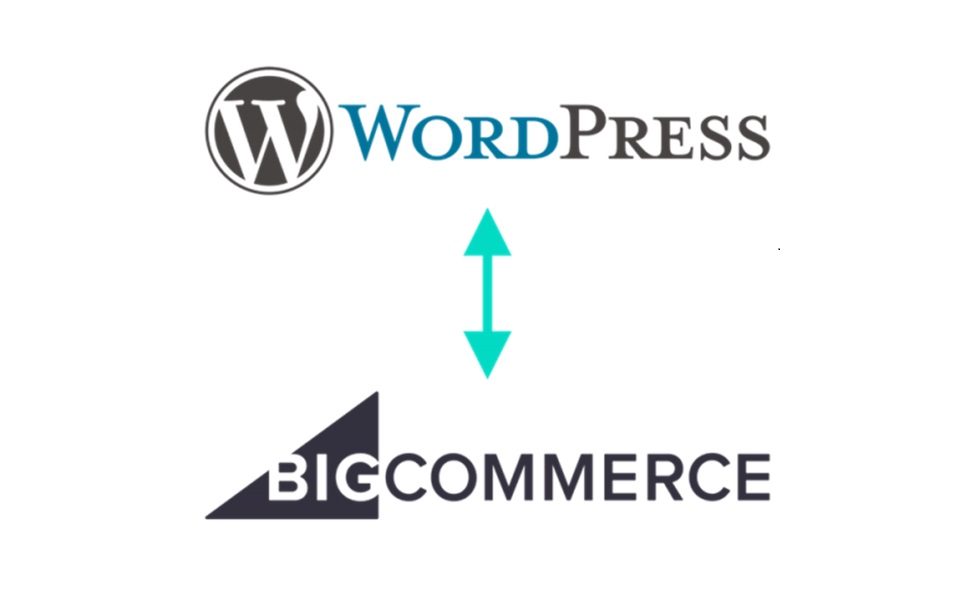
This BigCommerce WordPress integration guide will walk you through the process of linking your BigCommerce store with your WordPress blog or setting up a subdomain, offering two easy methods: linking and subdomain setup.
Why Integrate? The Power of Content Marketing
Before diving in, let’s explore the advantages of this integration:
– Increased Traffic: Blogs attract organic traffic through targeted keywords and fresh content, potentially leading more visitors to your store. With the integration of BigCommerce WordPress, you can seamlessly incorporate your e-commerce platform into your content strategy, driving even more traffic to your site.
– Improved SEO: Regularly updated blogs enhance your website’s ranking in search results, making your store more discoverable. By utilizing the BigCommerce WordPress integration, you can optimize your content for search engines, further boosting your SEO efforts.
– Engaged Customers: Informative and engaging blog posts nurture leads, build trust, and encourage purchases. With BigCommerce for WordPress, you can seamlessly integrate your online store with your content, providing a cohesive experience for your audience.
-Targeted Promotions: Integrate product recommendations and calls to action within your blog content, subtly guiding readers toward your store. With BigCommerce for WordPress, you can effortlessly embed product links and promotions directly into your blog posts, maximizing conversion opportunities.
Method 1: Linking Your WordPress Blog
The simplest approach is linking your existing WordPress blog to your BigCommerce store. Here’s how:
1. Hide the Built-In Blog: If you haven’t already, disable the built-in BigCommerce blog to avoid confusion.
a. Every new store has the built-in blog visible by default. If you are using a different blogging platform or don’t want to use a blog, toggle the Blog Visibility to remove all blog links from your storefront’s header and footer.

2. Create a New Web Page: Go to Storefront > Web Pages and click Create a Web Page.

3. Link to Your Blog: Choose Link to another website or document and enter your blog’s

URL in the Link field. Give the page a clear and descriptive name (e.g., “Blog”).

Method 2: Using a Subdomain
For a more integrated experience, consider using a subdomain for your blog (e.g., <invalid URL removed>). This method requires technical knowledge and involves:
1. Adding a DNS Record: This allows your subdomain to point to your WordPress hosting. Refer to your domain registrar’s documentation for specific instructions.
2. Creating the Subdomain in BigCommerce: Follow the steps in method 1, but enter your subdomain URL instead of your main blog URL.
Read Also: BigCommerce Headless – Exploring Why It’s Required for eCommerce Businesses
Additional Tips:
– Optimize Your Blog Content: Include relevant keywords, internal links to your store pages, and high-quality visuals. You can also work with WordPress ecommerce development services to enhance your blog’s performance, manage integrations, and improve overall site functionality.
– Promote Your Blog: Share your blog posts on social media, email newsletters, and even within your store itself.
– Track Your Results: Analyze website traffic and purchase data to measure the impact of your blog integration.
By following these steps and leveraging the power of content marketing, you can create a synergy between your BigCommerce store and your WordPress blog, utilizing tools like the BigCommerce for WordPress plugin to seamlessly integrate your e-commerce platform with your blogging platform. This integration will drive more sales and build a loyal customer base, enhancing the overall experience for your visitors.
Remember, this is just the beginning. Explore the vast plugin ecosystem of both platforms, including BigCommerce WordPress integration, to further customize your integration and unlock even more marketing potential. Happy blogging and selling!