Choosing between WooCommerce and Wix can make or break your online store’s success. Both platforms promise easy setup and ecommerce functionality, but they take fundamentally different approaches to building and scaling your business. WooCommerce offers deep customization and ownership through WordPress, while Wix delivers simplicity with an all-in-one hosted solution.
This guide breaks down the core differences between WooCommerce vs Wix across pricing, features, scalability, and long-term growth potential. You’ll understand which platform matches your technical comfort level, budget constraints, and business goals so you can make a confident decision.
Summary
- Platform Architecture: WooCommerce is a self-hosted WordPress plugin requiring separate hosting, while Wix is a fully hosted drag-and-drop website builder with integrated ecommerce
- Pricing Models: Wix uses fixed monthly subscriptions starting at $27/month, whereas WooCommerce is free software with variable costs for hosting, themes, and extensions
- Customization Depth: WooCommerce provides unlimited customization through code and 59,000+ plugins, while Wix offers template-based design with limited backend access
- Scalability Path: WooCommerce scales with your hosting infrastructure and supports enterprise-level stores, while Wix has built-in transaction limits and platform constraints
- Technical Requirements: WooCommerce demands more technical knowledge or developer support, while Wix is designed for non-technical users with minimal learning curve
WooCommerce vs Wix: Platform Architecture and Ownership
The fundamental difference between WooCommerce and Wix lies in how they’re built and who controls your store.
WooCommerce’s Open-Source Model
WooCommerce is a free WordPress plugin that transforms your WordPress site into a fully functional online store. You download the software, install it on your hosting server, and maintain complete control over every aspect of your store. This self-hosted approach means you own your data, code, and customer information outright. You can modify any part of the platform, switch hosting providers without restrictions, and never worry about vendor lock-in.
The trade-off is responsibility. You manage security updates, performance optimization, backups, and technical maintenance. This requires either technical expertise or budget for developer support.
Wix’s Proprietary Platform
Wix operates as a closed, hosted platform where they manage the entire infrastructure. You build your store using their drag-and-drop editor within their ecosystem, and they handle hosting, security, and technical maintenance automatically. Everything happens through your browser with no software installation required.
However, this convenience comes with limitations. You’re renting space on Wix’s servers rather than owning your infrastructure. Migration to another platform requires rebuilding your store from scratch since you can’t export the underlying code. Customization stops where Wix’s built-in features end.
| Feature | WooCommerce | Wix |
| Hosting Control | Self-hosted, choose any provider | Wix-hosted only |
| Data Ownership | Complete ownership | Limited export options |
| Platform Access | Full code access | Proprietary, no code access |
| Migration Flexibility | Export everything | Rebuild required |
Now that we’ve covered the architectural differences, let’s examine how these models affect your budget.
Cost Comparison: WooCommerce vs Wix Pricing
Understanding the true cost of each platform requires looking beyond advertised prices to total cost of ownership.
Wix Pricing Structure
Wix uses straightforward monthly subscriptions with ecommerce plans starting at $27/month (Business Basic), $32/month (Business Unlimited), and $159/month (Business VIP). These prices include hosting, SSL certificate, and basic ecommerce features. You’ll pay additional transaction fees of 2.9% + $0.30 per sale unless you upgrade to higher tiers.
Premium apps and features cost extra. Advanced marketing tools, custom integrations, and professional design services add $10-50+ monthly to your base subscription. Wix’s pricing is predictable but scales linearly—more features mean higher fixed costs regardless of revenue.
WooCommerce Cost Variables
WooCommerce itself is free, but running a store requires investing in infrastructure. Budget approximately:
- Hosting: $5-100+/month depending on traffic and performance needs
- Domain: $10-15/year
- SSL Certificate: Often included with hosting or $50-200/year
- Theme: $0-200 one-time for quality designs
- Essential Plugins: $0-500/year for payment gateways, security, SEO, backups
A basic WooCommerce store runs $15-30/month initially, comparable to Wix. The difference emerges at scale. WooCommerce costs grow with your actual needs rather than fixed tiers. A $50,000/month store might only need $100/month in infrastructure versus paying for Wix’s highest tier regardless of necessity.
| Cost Factor | WooCommerce | Wix |
| Starting Price | ~$15-30/month | $27-32/month |
| Transaction Fees | Payment processor only (2.9% + $0.30) | 2.9% + $0.30 (lower tiers) |
| Scaling Costs | Variable based on needs | Fixed tier increases |
| Hidden Costs | Plugins, maintenance, updates | Premium apps, higher tiers |
Moving from costs to capabilities, let’s explore what you can actually build with each platform.
Design Flexibility and Customization
Your ability to create a unique brand experience differs dramatically between Wix and WooCommerce.
Wix Design System
Wix provides 800+ professionally designed templates, including 100+ ecommerce-specific options. The drag-and-drop editor makes designing intuitive—you click, drag, and position elements visually with immediate feedback. No coding required. You can customize colors, fonts, layouts, and add animations through their interface.
Limitations appear when you want functionality outside Wix’s template structure. You can’t modify checkout pages significantly, alter core ecommerce flows, or implement complex custom features without workarounds. Mobile responsiveness requires separate mobile editing since desktop changes don’t always translate properly. Once you choose a template, switching requires rebuilding your entire site.
WooCommerce Customization Power
WooCommerce inherits WordPress’s flexibility, offering unlimited design possibilities. Choose from thousands of free and premium themes, then customize everything through code. Modify product pages, implement WooCommerce one page checkout solutions, optimize cart functionality, and customize every visual element. Developers can build completely custom solutions tailored to specific business requirements.
The WooCommerce platform enables advanced features like custom product builders, complex pricing rules, subscription models, and unique purchasing workflows. Popular page builders like Elementor and Divi provide visual editing for non-coders while maintaining customization depth. You can implement any design vision with enough technical skill or developer budget.
With customization covered, let’s examine how each platform handles your store’s essential features.
Ecommerce Features and Functionality
Both platforms provide core ecommerce capabilities, but depth and scalability differ significantly.
Core Features Comparison
Wix includes built-in product management, inventory tracking, order processing, and basic marketing tools. You can create product variants, run coupon campaigns, manage shipping rules, and integrate with major payment processors. The Wix App Market offers 300+ ecommerce apps for added functionality like dropshipping, print-on-demand, and advanced analytics.
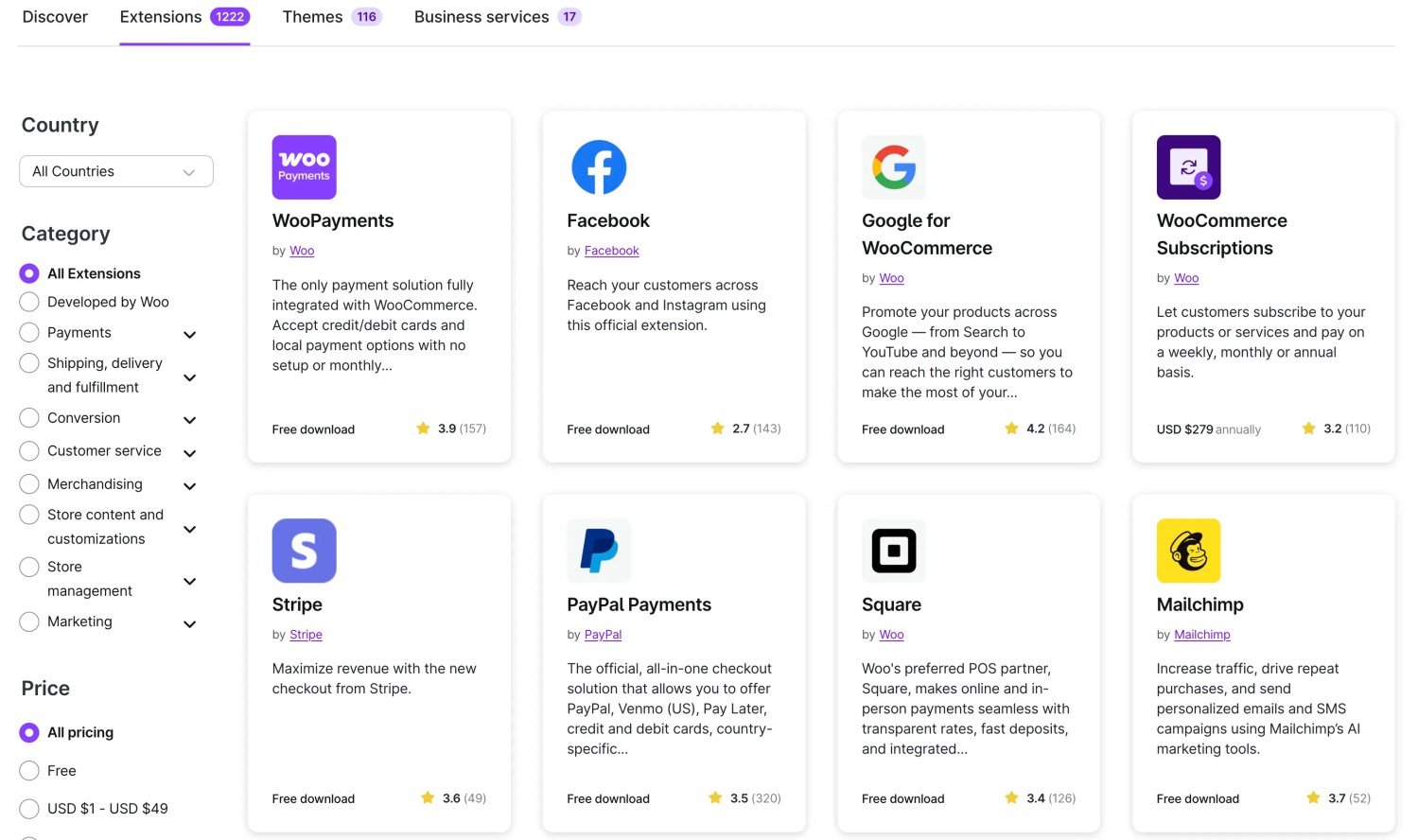
WooCommerce covers the same baseline features but with greater depth and extensibility. Out of the box, you get unlimited products, flexible tax calculations, comprehensive shipping options, and detailed reporting. The real advantage lies in the extension ecosystem—59,000+ WordPress plugins and thousands of WooCommerce-specific extensions let you add virtually any functionality.
Advanced Capabilities
WooCommerce excels at complex requirements through WordPress ecommerce development services. Need subscriptions? Add WooCommerce Subscriptions. Want membership sites? Install a membership plugin. Require B2B wholesale pricing? Multiple extensions handle this. Advanced inventory management, multi-vendor marketplaces, bookings, and custom product types all integrate seamlessly through the WordPress ecommerce ecosystem. Custom features like WooCommerce login for customers enhance user experience and security.
Wix handles straightforward retail well but struggles with complexity. Multi-channel selling works for basic scenarios but lacks sophisticated inventory sync. Subscription functionality exists but with limited customization. B2B features like custom pricing per customer or complex approval workflows require workarounds or aren’t possible.
| Feature Category | WooCommerce | Wix |
| Product Limits | Unlimited | Unlimited |
| Payment Gateways | 100+ options | 50+ options |
| Multi-channel Selling | Advanced integrations | Basic integrations |
| Subscription Support | Robust, customizable | Basic recurring billing |
| B2B Features | Extensive extensions | Limited native support |
Understanding features is one thing, but how do these platforms perform as you grow?
Scalability and Performance
Your platform choice today determines your growth ceiling tomorrow.
WooCommerce Scaling Strategy
WooCommerce scales as far as your infrastructure allows. Small stores run perfectly on shared hosting for $10/month. As traffic grows, upgrade to VPS hosting ($30-100/month), then managed WordPress hosting ($100-300/month), and eventually dedicated or cloud infrastructure for enterprise needs. Each upgrade supports higher traffic, faster page loads, and better performance.
Performance optimization sits in your control. Implement caching, use content delivery networks (CDNs), optimize images, and fine-tune database queries. High-traffic stores serving millions in revenue run successfully on WooCommerce with proper infrastructure and optimization. The platform handles everything from small boutiques to major brands without technical limitations.
Wix Performance Constraints
Wix manages hosting performance automatically, which works well for small to medium stores. You don’t worry about server configuration or optimization—Wix handles it. Page speeds are generally good, and uptime is reliable for typical traffic levels.
Problems emerge at scale. Wix imposes no official product limits, but performance degrades with large catalogs (5,000+ products). Transaction volume matters too—stores processing thousands of orders monthly may experience slowdowns. You can’t upgrade infrastructure independently since Wix controls everything. If your store outgrows Wix’s infrastructure, migration becomes your only option.
After evaluating scalability, let’s consider the technical expertise each platform demands.
Technical Requirements and Learning Curve
Your technical comfort level significantly impacts which platform fits your workflow.
Wix for Non-Technical Users
Wix is explicitly designed for people without coding skills or technical knowledge. The visual editor is intuitive—if you can use basic software, you can build a Wix store. Setup takes hours rather than days. Tutorials guide you through every step, and Wix support helps when you’re stuck.
Updates happen automatically in the background. Security patches apply without your involvement. You never touch code, configure servers, or troubleshoot technical issues. This simplicity lets you focus entirely on business operations rather than technical maintenance.
WooCommerce’s Technical Demand
WooCommerce requires WordPress familiarity, basic hosting knowledge, and comfort with plugins. Non-technical users can build simple stores using page builders and pre-configured themes, but complex customization needs WordPress development services expertise. You’ll handle plugin updates, security monitoring, backup management, and occasional troubleshooting.
Many store owners hire WooCommerce developers for initial setup, custom features, and ongoing maintenance. Budget $500-5,000 for professional setup depending on complexity, plus $50-200/month for maintenance if you outsource technical management. The trade-off is unlimited capability once you have technical resources available.
With technical requirements addressed, let’s look at SEO and marketing capabilities.
SEO and Marketing Tools
Your ability to attract and convert customers depends heavily on platform marketing capabilities.
WooCommerce SEO Advantages
WooCommerce benefits from WordPress’s SEO maturity. Install plugins like Yoast SEO or Rank Math for complete SEO control. Edit meta titles, descriptions, URL structures, schema markup, and every technical SEO element. Create content marketing strategies through WordPress’s blogging capabilities, arguably the best content management system available.
Advanced marketing automation integrates through plugins. Connect email marketing platforms, implement abandoned cart recovery, run sophisticated ad campaigns, and track detailed analytics. Integration with advanced ecommerce strategies gives you enterprise-level marketing tools without enterprise budgets.
Wix Marketing Limitations
Wix has improved SEO significantly from its early reputation as SEO-unfriendly. Modern Wix stores rank in search results with proper optimization. You can edit meta tags, create SEO-friendly URLs, and access basic SEO tools built into the platform. Wix automatically handles technical SEO like site speed and mobile responsiveness.
However, limitations exist. Blog functionality is basic compared to WordPress. URL structures are less flexible. Advanced SEO tactics requiring deep technical control may not be possible. Marketing automation works through built-in tools and apps but lacks the depth and integration options WooCommerce offers through WordPress’s extensive ecosystem.
| Marketing Feature | WooCommerce | Wix |
| SEO Control | Complete technical access | Limited but improving |
| Content Marketing | Best-in-class blogging | Basic blog features |
| Email Integration | Unlimited options | Built-in + select integrations |
| Analytics Depth | Advanced custom tracking | Standard analytics |
Now let’s examine real-world scenarios where each platform excels.
When to Choose WooCommerce
WooCommerce is the right choice when you prioritize long-term flexibility, customization, and scaling potential over immediate simplicity.
Ideal WooCommerce Scenarios
Choose WooCommerce if you’re building a content-heavy store where blogging and SEO drive traffic. WordPress’s content capabilities combined with ecommerce functionality create powerful inbound marketing machines. Companies selling complex products needing custom configurators, quote systems, or unusual workflows benefit from WooCommerce’s flexibility.
B2B stores requiring custom pricing, approval workflows, or integration with existing business systems work better on WooCommerce. The platform integrates with virtually any third-party system through APIs and custom development. High-growth companies that will scale beyond basic ecommerce features appreciate avoiding future migrations.
Technical teams or businesses with developer budgets maximize WooCommerce’s potential. If you have in-house development resources or plan to hire agencies for custom work, WooCommerce provides the foundation for unique competitive advantages through technology.
When to Choose Wix
Wix excels for specific business types where simplicity and speed matter more than unlimited customization.
Ideal Wix Scenarios
Choose Wix when you’re launching quickly without technical skills or developer budget. Solo entrepreneurs, small retailers, and service providers selling simple product catalogs benefit from Wix’s ease of use. The platform works perfectly for testing business ideas before committing to more complex infrastructure.
Businesses selling straightforward products without complex requirements—simple variants, standard shipping, basic marketing—find Wix sufficient. If your store won’t exceed 1,000 products or process more than 100 orders daily, Wix’s infrastructure handles this comfortably.
Creative professionals who prioritize design and want beautiful templates without coding appreciate Wix’s visual editor. The platform suits businesses where the website is secondary to operations happening elsewhere, like service providers using the store for appointment bookings or digital downloads.
Migrating from Wix to WooCommerce
Many businesses start with Wix and eventually outgrow it, making migration understanding valuable.
Migration Challenges
Moving from Wix to WooCommerce isn’t straightforward since Wix doesn’t export site structure or design. You’ll export product data (CSV files), customer information (if available), and content, then rebuild your store architecture on WooCommerce. Plan for downtime during transition and potential temporary impacts to SEO rankings.
Budget for professional migration help unless you’re technical. Migration projects cost $1,000-10,000 depending on store complexity, custom features, and data volume. The investment pays off through increased capabilities and eliminated platform limitations.
Migration Process Overview
First, set up WordPress and WooCommerce on your chosen hosting provider. Select and customize a theme matching your brand. Export product data from Wix and import into WooCommerce using migration plugins. Manually recreate complex page layouts and custom content. Configure payment gateways, shipping rules, tax settings, and essential plugins.
Test thoroughly before launch—process test orders, verify inventory accuracy, and check all integrations. Redirect old Wix URLs to new WooCommerce pages to maintain SEO value. Monitor closely for the first few weeks to catch and fix migration issues quickly.
Key Takeaways
- WooCommerce delivers unlimited customization and scalability through WordPress’s open-source ecosystem, while Wix prioritizes simplicity with a closed, hosted platform
- Pricing differs fundamentally—Wix charges fixed monthly fees that scale with feature tiers, whereas WooCommerce costs grow variably based on actual technical needs and traffic
- Technical requirements separate these platforms dramatically; Wix requires zero technical knowledge, while WooCommerce demands WordPress familiarity or developer support
- Long-term growth favors WooCommerce for stores exceeding 1,000 products or requiring complex features, custom workflows, and advanced marketing capabilities
- Migration from Wix to WooCommerce is possible but requires rebuilding your store from scratch, making the initial platform decision strategically important
Conclusion
The WooCommerce vs Wix decision ultimately depends on where your business is heading, not just where it stands today. Wix works beautifully for simple stores prioritizing immediate launch and ease of use, while WooCommerce builds the foundation for complex, high-growth ecommerce operations. Consider your technical resources, long-term feature requirements, and scaling timeline when choosing between Wix and WooCommerce.
If you’re building an ecommerce store that will grow beyond basic functionality, talk to our WooCommerce development company about creating a custom solution that scales with your business vision.
FAQs
Is WooCommerce Better Than Wix for SEO?
WooCommerce offers superior SEO control through WordPress’s mature optimization tools and plugins. You can modify every technical SEO element, implement advanced content strategies, and integrate comprehensive analytics. Wix handles basic SEO adequately for simple stores but lacks the depth and flexibility required for competitive content marketing and technical optimization strategies.
Can I Switch from Wix to WooCommerce Later?
Yes, but migration requires rebuilding your store since Wix doesn’t export site structure or design elements. You can export product data and customer information, then manually recreate your store on WooCommerce. The process takes significant time and often requires professional help, making the initial platform choice important for avoiding future migration costs and complexity.
Which Platform Costs Less in the Long Run?
WooCommerce typically costs less for growing businesses since expenses scale with actual needs rather than fixed tiers. Small stores may find similar pricing, but WooCommerce becomes more economical as you scale beyond basic features. Wix charges increasing monthly fees for higher tiers regardless of whether you use all features, while WooCommerce lets you invest only in infrastructure and extensions you actually need.
Does WooCommerce Require Coding Skills?
Basic WooCommerce stores don’t require coding if you use pre-built themes and plugins. However, custom features, design modifications, and advanced functionality need development skills. Many store owners hire developers for initial setup and customization, then handle daily operations themselves. Budget for developer support if you want capabilities beyond standard templates and basic configurations.
Which Platform Handles High Traffic Better?
WooCommerce scales to handle virtually unlimited traffic when paired with appropriate hosting infrastructure. You can upgrade servers, implement caching, and optimize performance as needed. Wix manages hosting automatically, which works well for typical traffic levels but may experience performance issues with very high transaction volumes or large product catalogs exceeding several thousand items.
Can I Sell Subscriptions on Both Platforms?
Both platforms support subscription products, but with different capability levels. WooCommerce Subscriptions extension offers comprehensive subscription management, flexible billing cycles, trial periods, and complex pricing rules. Wix provides basic recurring billing functionality suitable for simple subscription models but lacks the customization and advanced features required for complex subscription businesses.
What Payment Options Do WooCommerce and Wix Support?
WooCommerce integrates with 100+ payment gateways including PayPal, Stripe, Square, and regional processors worldwide. You can add any payment method through extensions and custom integrations. Wix supports 50+ payment processors including major providers but with less flexibility for regional or specialized payment solutions. Both platforms allow multiple payment methods simultaneously.
How Do Inventory Management Features Compare?
WooCommerce provides detailed inventory tracking with unlimited product variations, stock management, backorder handling, and low stock notifications. Advanced inventory extensions add multi-location management, warehouse integration, and automated restocking. Wix offers solid basic inventory features suitable for straightforward retail operations but lacks advanced multi-location tracking and complex inventory management workflows.